MY CART
Microsoft Project Tutorial Course 

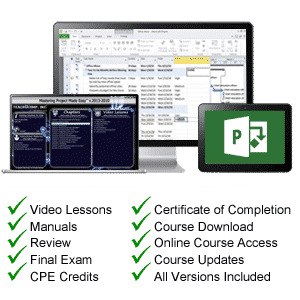
| Course Title: | Mastering Project Made Easy |
|---|---|
| Versions Covered: | 2016 through 2010 |
| Hours of Content: | 6 |
| Video Lessons: | 101 |
| Manual: | 185 Pages |
| This Course: | $ |
| All Courses: | Every course. One price. | |
| Multi-User: | Group discounts |  |
Course Description
Learn Microsoft Project with this comprehensive course from TeachUcomp, Inc. Mastering Project Made Easy features 101 video lessons with over 6 hours of introductory through advanced instruction. Watch, listen and learn as your expert instructor guides you through each lesson step-by-step. During this media-rich learning experience, you will see each function performed just as if your instructor were there with you. Reinforce your learning with the text of our two printable classroom instruction manuals (Introductory and Advanced), additional images and practice exercises. You will learn introductory through advanced concepts including assigning and managing tasks and resources, tracking project tasks, developing dynamic reports and much more.
Whether you are completely new to Project or upgrading from an older version, this course will empower you with the knowledge and skills necessary to be a proficient user. We have incorporated years of classroom training experience and teaching techniques to develop an easy-to-use course that you can customize to meet your personal learning needs. Simply launch the easy-to-use interface, click to start a video lesson or open one of the manuals and you’re on your way to mastering Project.
Course Syllabus & Sample Lessons
Select any of the video lessons marked to view them in a new window.
To view samples of the instruction manuals in PDF, click here: Introductory Project | Advanced Project
| CHAPTER 1- | Getting Acquainted with Project | |
| Lesson 1.1- | About Project | |
| Lesson 1.2- | Starting Project | |
| Lesson 1.3- | Project Management Terms and Concepts | |
| Lesson 1.4- | The Project Environment | |
| Lesson 1.5- | The Title Bar | |
| Lesson 1.6- | The Ribbon | |
| Lesson 1.7- | The “File” Tab and Backstage View | |
| Lesson 1.8- | The Scroll Bars | |
| Lesson 1.9- | The Quick Access Toolbar | |
| Lesson 1.10- | The Entry Bar | |
| Lesson 1.11- | The Status Bar | |
| Lesson 1.12- | Touch Mode | |
| CHAPTER 2- | Project Basics | |
| Lesson 2.1- | Opening Projects | |
| Lesson 2.2- | Closing Projects | |
| Lesson 2.3- | Creating New Projects | |
| Lesson 2.4- | Saving Projects | |
| Lesson 2.5- | Changing Project Views | |
| Lesson 2.6- | Planning a Project | |
| CHAPTER 3- | Tasks | |
| Lesson 3.1- | Creating Tasks | |
| Lesson 3.2- | Editing and Deleting Tasks | |
| Lesson 3.3- | Setting Task Duration | |
| Lesson 3.4- | Linking Tasks | |
| Lesson 3.5- | Marking Milestones | |
| Lesson 3.6- | Using Phases and Summary Tasks | |
| Lesson 3.7- | Using Task Notes | |
| CHAPTER 4- | Resources | |
| Lesson 4.1- | Project Resources Overview | |
| Lesson 4.2- | Creating Work Resources | |
| Lesson 4.3- | Creating Material Resources | |
| Lesson 4.4- | Creating Cost Resources | |
| Lesson 4.5- | Entering Costs for Project Resources | |
| Lesson 4.6- | Scheduling Work Resources | |
| Lesson 4.7- | Creating New Base Calendars | |
| CHAPTER 5- | Resource and Task Management | |
| Lesson 5.1- | Assigning Work Resources to Tasks | |
| Lesson 5.2- | Assigning Material Resources to Tasks | |
| Lesson 5.3- | Assigning Cost Resources to Tasks | |
| Lesson 5.4- | The Team Planner | |
| CHAPTER 6- | Tracking Project Tasks | |
| Lesson 6.1- | Creating Project Baselines | |
| Lesson 6.2- | Updating Multiple Tasks in a Project | |
| Lesson 6.3- | Updating Tasks Individually | |
| Lesson 6.4- | Rescheduling Uncompleted Work | |
| CHAPTER 7- | Formatting Gantt Chart Views | |
| Lesson 7.1- | Formatting Text in a Gantt Chart | |
| Lesson 7.2- | Formatting Gridlines in a Gantt Chart | |
| Lesson 7.3- | Formatting the Task Bar Layout in a Gantt Chart | |
| Lesson 7.4- | Formatting Columns in a Gantt Chart | |
| Lesson 7.5- | Applying Bar and Gantt Chart Styles | |
| Lesson 7.6- | Drawing Objects | |
| Lesson 7.7- | Formatting Timescale in Gantt Charts | |
| Lesson 7.8- | Creating Custom Views | |
| CHAPTER 8- | Other Project Views | |
| Lesson 8.1- | Using Timeline View | |
| Lesson 8.2- | Creating Multiple Timelines | |
| Lesson 8.3- | The Task Usage View | |
| Lesson 8.4- | The Network Diagram View | |
| Lesson 8.5- | The Calendar View | |
| Lesson 8.6- | Printing Views | |
| CHAPTER 9- | Advanced Task Management | |
| Lesson 9.1- | Setting Task Lead and Lag Time | |
| Lesson 9.2- | Using Task Constraints | |
| Lesson 9.3- | Task Types | |
| Lesson 9.4- | Setting Deadlines | |
| Lesson 9.5- | Interrupting Tasks | |
| Lesson 9.6- | Moving and Rescheduling Tasks | |
| Lesson 9.7- | Inspecting Tasks | |
| Lesson 9.8- | Creating Recurring Tasks | |
| Lesson 9.9- | Entering Fixed Costs | |
| Lesson 9.10- | Critical Paths | |
| Lesson 9.11- | Using WBS Codes | |
| CHAPTER 10- | Advanced Resource Management | |
| Lesson 10.1- | Applying Multiple Resource Rates | |
| Lesson 10.2- | Advanced Resource Availability | |
| Lesson 10.3- | Using Work Contours | |
| Lesson 10.4- | Material Resource Consumption Rates | |
| Lesson 10.5- | Delaying Resource Assignments | |
| CHAPTER 11- | Advanced Project Tracking | |
| Lesson 11.1- | Monitoring Resource Allocation | |
| Lesson 11.2- | Leveling Overallocated Resources | |
| Lesson 11.3- | Monitoring Project Costs | |
| Lesson 11.4- | Monitoring Project Statistics | |
| CHAPTER 12- | Advanced Project Tools | |
| Lesson 12.1- | Using the Organizer | |
| Lesson 12.2- | Making Macros | |
| Lesson 12.3- | Customizing the Ribbon | |
| Lesson 12.4- | Creating and Linking Resource Pools | |
| Lesson 12.5- | Using and Updating Resource Pools | |
| Lesson 12.6- | Consolidating and Linking Multiple Projects | |
| CHAPTER 13- | Reporting | |
| Lesson 13.1- | Using Earned Value Analysis | |
| Lesson 13.2- | Creating Basic Reports | |
| Lesson 13.3- | Selecting Report Objects | |
| Lesson 13.4- | Changing the Report View | |
| Lesson 13.5- | Basic Report Formatting | |
| Lesson 13.6- | Inserting Report Objects | |
| Lesson 13.7- | Managing Reports | |
| Lesson 13.8- | Basic Page Setup for Reports | |
| Lesson 13.9- | Advanced Page Setup for Reports | |
| Lesson 13.10- | Printing Reports | |
| CHAPTER 14- | Modifying Report Objects | |
| Lesson 14.1- | Selecting, Moving & Resizing Report Charts | |
| Lesson 14.2- | Using the Field List with Report Charts | |
| Lesson 14.3- | Designing Report Charts | |
| Lesson 14.4- | Formatting Report Charts | |
| Lesson 14.5- | Using Report Tables | |
| Lesson 14.6- | Designing Report Tables | |
| Lesson 14.7- | Setting Report Table Layout Options | |
| Lesson 14.8- | Modifying Pictures, Text Boxes and Shapes | |
| Lesson 14.9- | Formatting Text Boxes and Shapes | |
| Lesson 14.10- | Formatting Report Pictures | |
| CHAPTER 15- | Visual Reporting | |
| Lesson 15.1- | Using Visual Reports |
Microsoft Project Training Course Overview
Microsoft Project is a powerful project management software program used to assist project managers in developing plans, assigning resources, tracking progress and managing budgets. During this 6 hour Project video training course, our expert instructor will show you how to assign and manage tasks and resources, track project tasks, develop dynamic reports and much more. This course covers the same material as our two-day classroom training and was designed to provide a solid foundation in Microsoft Project.
Course includes video lessons, printable instruction manuals, a practice exam with evaluative feedback (find out why your answers are right or wrong), your final exam submission, and a course certificate of completion.
At TeachUcomp, Inc., you choose how you want your Project training delivered.
Online subscriptions offer the most flexibility and value. With online training, you can access your courses anytime and anywhere you have an internet connection (including all new releases and updates). Your subscription grants you instant access to ALL of our courses for one low price. There are no contracts and you can cancel at any time. You may choose between a monthly or annual plan.
Courses are also available individually via digital download and online for a one-time charge.