
TeachUcomp, Inc.

 MY CART
  • HOME
  • PRODUCTS
    • Books
      • QuickBooks Online
    • Manuals
      • Adobe
        • Acrobat
        • Lightroom Classic
        • Photoshop
        • Photoshop Elements
      • Crystal Reports
      • For Lawyers
        • Excel for Lawyers
        • Outlook for Lawyers
        • QuickBooks for Lawyers
        • Word for Lawyers
      • HTML
      • JavaScript
      • Microsoft Office
        • Access
        • Excel
        • OneNote
        • Outlook
        • Outlook on the Web
        • PowerPoint
        • Publisher
        • Word
      • Microsoft Project
      • Microsoft Teams
      • QuickBooks Online
      • QuickBooks Pro
      • Sage
        • Peachtree
        • Sage 50
      • SQL
      • Windows
    • Reference Guides
      • Adobe
        • Acrobat
        • Lightroom Classic
        • Photoshop
        • Photoshop Elements 2026
        • Photoshop Elements 2025
        • Photoshop Elements 2024
        • Photoshop Elements 2023
        • Photoshop Elements 2022
        • Photoshop Elements 2021
        • Photoshop Elements 2020
        • Photoshop Elements 2019
        • Photoshop Elements 2018
        • Photoshop Elements 15
      • Chrome OS
        • Chrome OS Keyboard Shortcuts
      • FreshBooks
      • Google
        • Google Classroom for Teachers
        • Google Docs
        • Google Drive
        • Google Forms
        • Google Sheets
        • Google Slides
      • macOS
        • macOS Keyboard Shortcuts
        • macOS Tahoe
      • Microsoft Office
        • Excel Formulas and Functions
        • Excel Keyboard Shortcuts (macOS)
        • Excel Keyboard Shortcuts (PC/Windows)
        • Excel Tables PivotTables and Charts
        • Microsoft 365
          • Access for Microsoft 365
          • Excel for Microsoft 365
          • Microsoft Office 365
          • Outlook for Microsoft 365 Classic Edition
          • Outlook for Microsoft 365 (New Outlook)
          • PowerPoint for Microsoft 365
          • Publisher for Microsoft 365
          • Word for Microsoft 365
        • Microsoft Office 2021
          • Access 2021
          • Excel 2021
          • Microsoft Office 2021
          • OneNote for Windows 10
          • Outlook 2021
          • PowerPoint 2021
          • Publisher 2021
          • Word 2021
        • Microsoft Office 2019
          • Access 2019
          • Excel 2019
          • Microsoft Office 2019
          • Outlook 2019
          • PowerPoint 2019
          • Publisher 2019
          • Word 2019
        • Microsoft Office 2016
          • Access 2016
          • Excel 2016
          • Microsoft Office 2016
          • OneNote 2016
          • Outlook 2016
          • PowerPoint 2016
          • Publisher 2016
          • Word 2016
        • Microsoft Office 2013
          • Excel 2013
          • Microsoft Office 2013
          • OneNote 2013
          • Outlook 2013
          • PowerPoint 2013
          • Word 2013
        • Microsoft Office for iPad
          • Microsoft Office for iPad
        • Word Keyboard Shortcuts (macOS)
        • Word Keyboard Shortcuts (PC/Windows)
      • Microsoft Teams
      • QuickBooks Online
      • QuickBooks Pro
        • QuickBooks Pro 2024
        • QuickBooks Pro 2023
        • QuickBooks Pro 2022
        • QuickBooks Pro 2021
        • QuickBooks Pro 2020
        • QuickBooks Pro 2019
        • QuickBooks Pro 2018
        • QuickBooks Pro 2017
        • QuickBooks Pro 2016
        • QuickBooks Pro 2015
        • QuickBooks Pro 2014
      • Sage 50 Accounting
      • SQL
      • Windows
        • Windows 11
        • Windows 11 and 10 Keyboard Shortcuts
        • Windows 10
    • Video Courses
      • All-Access Subscriptions
      • Course List
        • Accounting
        • Adobe
          • Acrobat
          • Lightroom Classic
          • Photoshop
          • Photoshop Elements
        • Crystal Reports
        • Employment Skills
          • Interview Skills
          • Resume Skills
        • For Lawyers
          • Excel for Lawyers
          • Outlook for Lawyers
          • QuickBooks for Lawyers
          • Word for Lawyers
        • HTML
        • JavaScript
        • Microsoft Office
          • Access
          • Excel
          • Microsoft Office Suite
          • OneNote
          • Outlook
          • Outlook on the Web
          • PowerPoint
          • Publisher
          • Word
        • Microsoft Project
        • Microsoft Teams
        • QuickBooks Online
        • QuickBooks Pro
        • Sage
          • Peachtree
          • Sage 50
        • SQL
        • Windows
      • My Courses
      • Video Course Options
    • Shortcut Stickers
      • Chrome OS
      • macOS
      • Microsoft Office
        • Word and Excel (Mac)
        • Word and Excel (PC/Windows)
      • QuickBooks Desktop
        • QuickBooks Desktop (PC/Windows) 2024
        • QuickBooks Desktop (PC/Windows) 2023
        • QuickBooks Desktop (PC/Windows) 2022-2015
      • QuickBooks Online
      • Windows
  • SHOP BY TOPIC
  • FOR TEAMS
  • SUPPORT
    • Company
      • About Us
      • Blog
      • Our History
      • Our Philosophy
        • Customer Service
        • Mission
      • Policies
      • Testimonials
    • Contact Us
    • FAQ
    • Help
    • Lost Password
    • Register a Product
  • LOGIN
    • Manage My Account
    • Member Login
    • My Courses
Shop Now

Sign in to Windows 11 with a Microsoft Account

by Joseph Brownell / Tuesday, August 11 2026 / Published in Latest, Microsoft, Windows 11

How to Sign in to Windows 11 with a Microsoft Account: Video Lesson

    This video lesson, titled “How to Sign in to Windows 11 with a Microsoft Account: A Windows 11 Training Tutorial,” shows why a user may want to sign in to Windows 11 with a Microsoft Account. This video lesson is from our complete Windows tutorial, titled “Mastering Windows Online Made Easy.”

Overview:

Why Sign into Windows 11 Using a Microsoft Account?

Windows 11 strongly encourages you to use a Microsoft account when signing in during the initial setup of your device, rather than using a local user account. Many features within Windows 11, such as OneDrive and Microsoft Store apps, are designed to work best when you are signed in with a Microsoft account.

What Options Do I Have for Using a Microsoft Account During Device Setup?

            When adding a Microsoft account during device setup, you can sign in using an existing account or create a new one. You may use an existing email address, such as an Outlook.com account or another email provider. Alternatively, you can create a new Microsoft-provided email address if needed. You can also choose to use a phone number instead of an email address. In all cases, the email address or phone number you use becomes your Microsoft account username. When the account is added to the device, it can be configured as either a Standard account or an Administrator account on the local PC.

What Are the Benefits of Using a Microsoft Account in Windows 11?

            After you sign in to Windows 11 with a Microsoft account, your device connects to Microsoft cloud-based services. This connection enables several features that enhance the overall experience. For example, you can more easily sign in to Microsoft apps and related services without repeatedly entering your credentials. You can also store, access, and share files using OneDrive, which allows you to work with your files across multiple devices.

            In addition, your personalization settings can be synchronized across supported Windows devices when you sign in using the same Microsoft account. This can include items such as themes, passwords, and other preferences. You can also download apps from the Microsoft Store and use them on other compatible Windows devices that you sign in to with the same account.
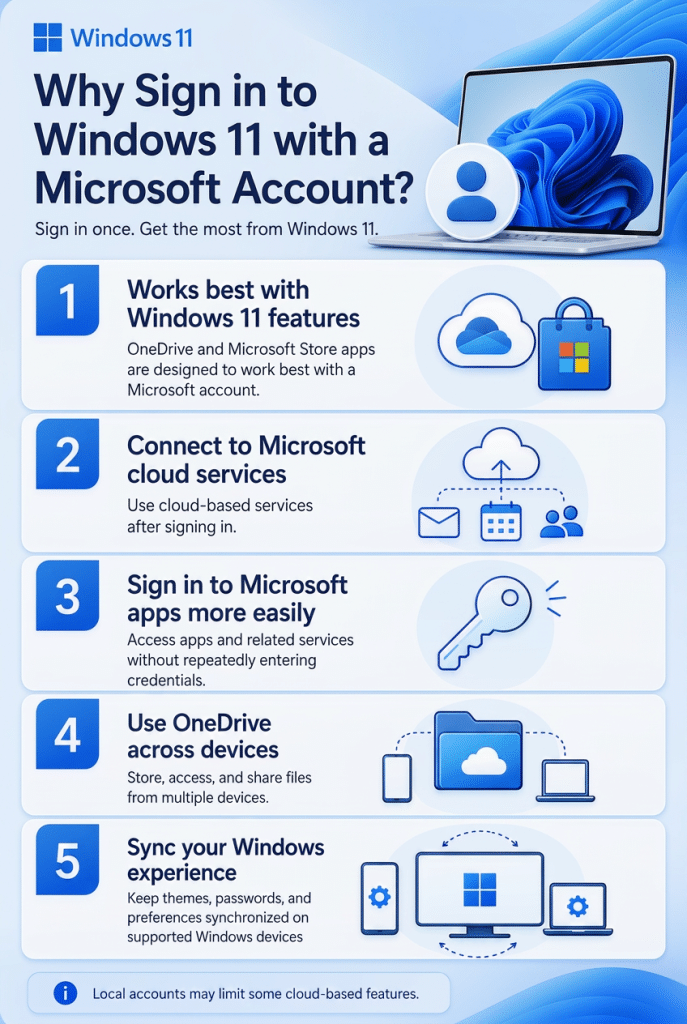
A picture listing why a user may want to sign in to Windows 11 with a Microsoft Account. Reason 1: It works best with Windows 11 features. Reason 2: It connects to Microsoft cloud services. Reason 3: It lets you sign in to Microsoft apps more easily. Reason 4: It lets you use OneDrive across devices. Reason 5: It lets you sync your Windows experience across devices.

            While using a Microsoft account is recommended, some versions or configurations of Windows 11 may still allow you to use a local account. However, certain cloud-based features may not be available in that case.

Tagged under: cloud account windows 11, create microsoft account, learn windows 11 accounts, microsoft account benefits, microsoft account sign in, microsoft account tutorial, microsoft account windows 11, sign in to windows 11, windows 11 account settings, windows 11 account setup, windows 11 beginner tutorial, windows 11 first time setup, windows 11 getting started, windows 11 login, windows 11 microsoft account, windows 11 setup guide, windows 11 user account, windows 11 user profile

About Joseph Brownell

Joseph Brownell is founder and Vice President of TeachUcomp, Inc. He is the author of dozens of titles across the TeachUcomp, Inc. product line.
Team Training. Solutions for all team sizes.


Windows 11 Quick Reference Guide. Buy Now.
 

Categories

  • GET SOCIAL

© 2001-2026 Copyright TeachUcomp, Inc. All rights reserved.

TOP
25% Off Everything 3 Days 8 Hours 43 Minutes 39 Seconds      Coupon Code: SAVE25
Shop Now