MY CART
How to Record Depreciation for a Fixed Asset in QuickBooks Online
How to Record Depreciation for a Fixed Asset in QuickBooks Online: Video
This video lesson, titled “How to Record Depreciation for a Fixed Asset in QuickBooks Online,” shows you how to record fixed asset depreciation in QuickBooks Online. This video lesson is from our complete QuickBooks Online tutorial, titled “Mastering QuickBooks Online Made Easy.”
Overview:
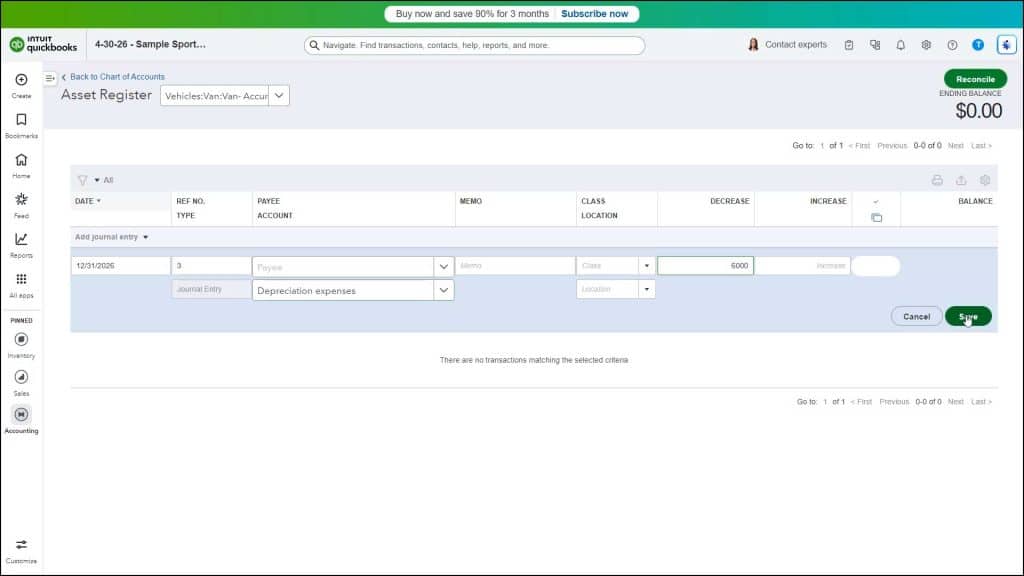
Your accountant should provide you with the amounts to enter for depreciation of your fixed assets. They should at least double-check your depreciation entries. After you have those amounts, you can enter them into the “Decrease” column of the register for the primary fixed assets account or, if using subaccounts for a fixed assets account, its “Accumulated Depreciation” subaccount’s register.
The amount in the register transaction is then attributed to a primary expense account like “Depreciation Expense” or one of its subaccounts if you create subaccounts for the primary depreciation expense based on fixed asset categories, which is often required for some types of filings. Alternatively, you can also record fixed asset depreciation using the “Journal Entry” window versus the account registers, if desired.
If using subaccounts for major fixed assets, note that the fixed asset’s “Accumulated Depreciation” subaccount always has a negative balance. This is because it is a contra account, which means it tracks the loss of value to the primary fixed asset, which is its parent account.