MY CART
How to Enter Credit Card Charges in QuickBooks Online
How to Enter Credit Card Charges in QuickBooks Online: Video
This video lesson, titled “How to Enter Credit Card Charges in QuickBooks Online,” shows you how to enter credit card charges in QuickBooks Online for company purchases. This video lesson is from our complete QuickBooks Online tutorial titled “Mastering QuickBooks Online Made Easy.”
Overview:
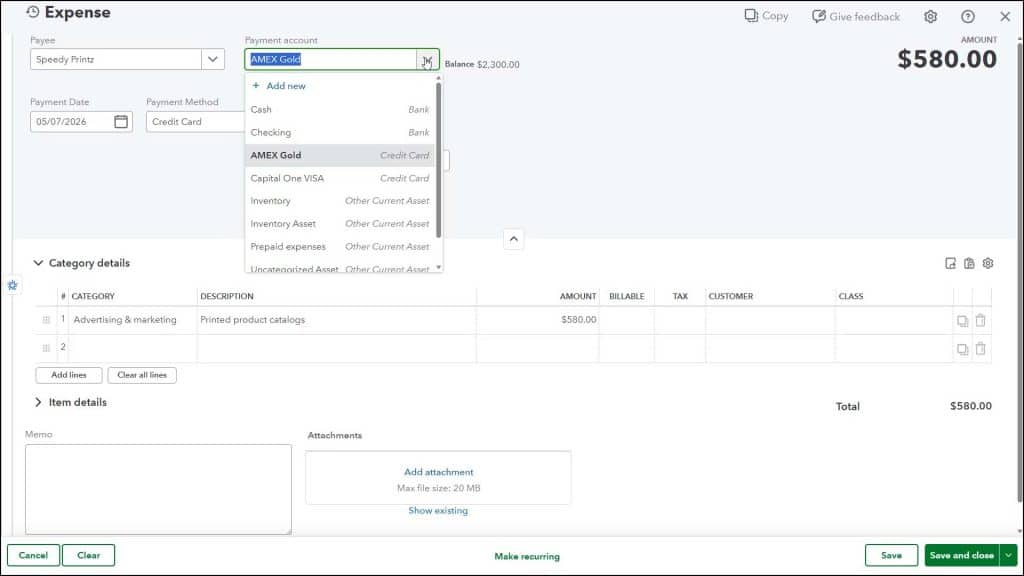
To record charges to business credit cards in QuickBooks Online Plus within the “Expense” or “Pay Bills” window, you simply select the credit card account you used from the “Payment account” drop-down within the window to show that you paid using the credit card. Then fill out the remainder of the window’s content, and save or record the transaction or transactions, as usual.