MY CART
How to Use QuickZoom in Reports in QuickBooks Online
How to Use QuickZoom in Reports in QuickBooks Online: Video
This video lesson, titled “How to Use QuickZoom in Reports in QuickBooks Online,” shows you how to use QuickZoom in reports in QuickBooks Online to show the details of a summary report line or open the transaction referenced by a detail report line. This video lesson is from our complete QuickBooks Online tutorial, titled “Mastering QuickBooks Online Made Easy.”
Overview:
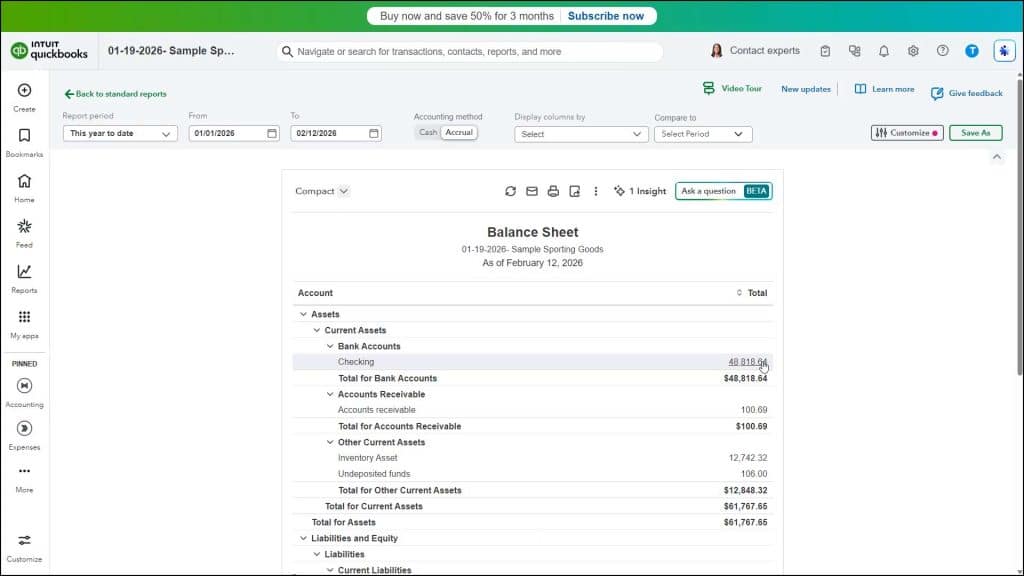
The QuickZoom feature in QuickBooks Online lets you click hyperlinked data when viewing a report to either open a new report that shows the referenced detail transactions if you click a hyperlinked summary report line or open the transaction referred to by hyperlinked non-summary, or detail, report lines. Using QuickZoom lets you zoom in on the data shown in report lines to trace from where the report’s lines derive their data. To use QuickZoom in QuickBooks Online, click any report line that appears as a hyperlink, which changes color and appears underlined when you hover over it.