MY CART
Crystal Reports Tutorial Course 

| Course Title: | Mastering Crystal Reports Made Easy |
|---|---|
| Versions Covered: | 2013, 2011, 2008 & 11 (XI) |
| Hours of Content: | 8 |
| Video Lessons: | 118 |
| Manual: | 226 Pages |
| This Course: | $ |
| All Courses: | Every course. One price. | |
| Multi-User: | Group discounts |  |
Course Description
Learn Crystal Reports with this comprehensive course from TeachUcomp, Inc. Mastering Crystal Reports Made Easy features 118 video lessons with over 8 hours of introductory through advanced instruction. Watch, listen and learn as your expert instructor guides you through each lesson step-by-step. During this media-rich learning experience, you will see each function performed just as if your instructor were there with you. Reinforce your learning with the text of our two printable classroom instruction manuals (Introductory and Advanced), additional images and practice exercises. You will learn all about how to establish data connections, create complex and detailed reports, advanced charting techniques and much more.
Whether you are completely new to Crystal Reports or upgrading from an older version, this course will empower you with the knowledge and skills necessary to be a proficient user. We have incorporated years of classroom training experience and teaching techniques to develop an easy-to-use course that you can customize to meet your personal learning needs. Simply launch the easy-to-use interface, click to start a video lesson or open one of the manuals and you’re on your way to mastering Crystal Reports.
Course Syllabus & Sample Lessons
Select any of the video lessons marked to view them in a new window.
To view a sample of the instruction manuals in PDF, click here: Introductory Crystal Reports | Advanced Crystal Reports
| CHAPTER 1- | The Crystal Reports Environment | |
| Lesson 1.1- | Starting Crystal Reports | |
| Lesson 1.2- | The Menu Bar | |
| Lesson 1.3- | Using Toolbars | |
| Lesson 1.4- | The Design View | |
| CHAPTER 2- | Creating Data Connections | |
| Lesson 2.1- | Creating a New Blank Report | |
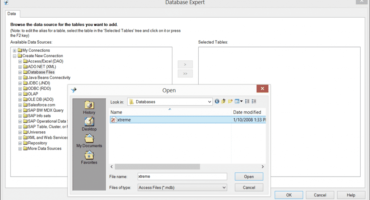
| Lesson 2.2- | The Database Expert | |
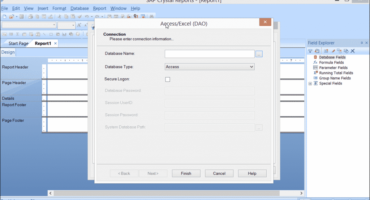
| Lesson 2.3- | Access/Excel (DAO) | |
| Lesson 2.4- | ADO.NET (XML) | |
| Lesson 2.5- | Database Files | |
| Lesson 2.6- | Java Beans Connectivity | |
| Lesson 2.7- | JDBC (JNDI) | |
| Lesson 2.8- | ODBC (RDO) | |
| Lesson 2.9- | OLAP | |
| Lesson 2.10- | OLE DB (ADO) | |
| Lesson 2.11- | Salesforce.com | |
| Lesson 2.12- | SAP BW MDX Query | |
| Lesson 2.13- | SAP Info Sets | |
| Lesson 2.14- | SAP Operational Data Source | |
| Lesson 2.15- | SAP Table, Cluster, or Function | |
| Lesson 2.16- | Universes | |
| Lesson 2.17- | XML and Web Services | |
| Lesson 2.18- | Repository | |
| Lesson 2.19- | More Data Sources | |
| Lesson 2.20- | Selecting Report Data and Tables | |
| Lesson 2.21- | The Data Explorer | |
| CHAPTER 3- | Creating Basic Reports | |
| Lesson 3.1- | Adding Data Fields to a Report | |
| Lesson 3.2- | Browsing Field Data | |
| Lesson 3.3- | Selecting, Moving, and Resizing Fields | |
| Lesson 3.4- | Using the “Size” and “Align” Commands | |
| Lesson 3.5- | Creating Text Objects | |
| Lesson 3.6- | Saving a Report | |
| Lesson 3.7- | Previewing a Report | |
| Lesson 3.8- | Refreshing the Report Data | |
| CHAPTER 4- | Linking Tables in a Report | |
| Lesson 4.1- | Basic Table Structures and Terms | |
| Lesson 4.2- | Linking Multiple Tables | |
| Lesson 4.3- | Table Joins | |
| Lesson 4.4- | Enforcing Table Joins and Changing Link Types | |
| CHAPTER 5- | Basic Formatting Techniques | |
| Lesson 5.1- | Formatting Report Objects | |
| Lesson 5.2- | The “Common” Tab of the Format Editor | |
| Lesson 5.3- | The “Number” Tab of the Format Editor | |
| Lesson 5.4- | The “Font” Tab of the Format Editor | |
| Lesson 5.5- | The “Border” Tab of the Format Editor | |
| Lesson 5.6- | The “Date and Time” Tab of the Format Editor | |
| Lesson 5.7- | The “Paragraph” Tab of the Format Editor | |
| Lesson 5.8- | The “Picture” Tab of the Format Editor | |
| Lesson 5.9- | The “Boolean” Tab of the Format Editor | |
| Lesson 5.10- | The “Hyperlink” Tab of the Format Editor | |
| Lesson 5.11- | The “Subreport” Tab of the Format Editor | |
| Lesson 5.12- | Drawing Lines | |
| Lesson 5.13- | Drawing Boxes | |
| Lesson 5.14- | Format Painter | |
| Lesson 5.15- | Formatting Part of a Text Object | |
| Lesson 5.16- | The Template Expert | |
| Lesson 5.17- | Inserting Pictures | |
| CHAPTER 6- | Record Selection | |
| Lesson 6.1- | The Select Expert | |
| Lesson 6.2- | Setting Multiple Filters | |
| Lesson 6.3- | Editing the Selection Formula | |
| CHAPTER 7- | Sorting and Grouping Records | |
| Lesson 7.1- | The Record Sort Expert | |
| Lesson 7.2- | The Group Expert | |
| Lesson 7.3- | Managing Groups | |
| Lesson 7.4- | Summarizing Groups | |
| Lesson 7.5- | Hierarchical Groupings | |
| Lesson 7.6- | The Group Sort Expert | |
| CHAPTER 8- | Printing Reports | |
| Lesson 8.1- | Inserting Special Fields | |
| Lesson 8.2- | Page Setup | |
| Lesson 8.3- | Printing Reports | |
| CHAPTER 9- | Using Formulas | |
| Lesson 9.1- | Crystal Reports Formula Syntax | |
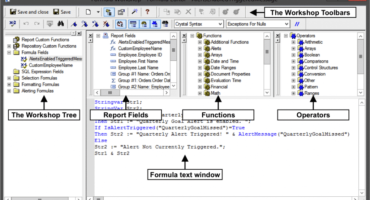
| Lesson 9.2- | The Formula Workshop- Formula Editor Window | |
| Lesson 9.3- | Creating Formula Fields | |
| Lesson 9.4- | Crystal Syntax | |
| Lesson 9.5- | Basic Syntax | |
| Lesson 9.6- | Finding Function and Operator Assistance | |
| CHAPTER 10- | Advanced Formatting | |
| Lesson 10.1- | The Highlighting Expert | |
| Lesson 10.2- | The Section Expert | |
| Lesson 10.3- | Conditionally Formatting a Section | |
| Lesson 10.4- | Conditionally Formatting a Field | |
| Lesson 10.5- | Manipulating Multiple Sections | |
| CHAPTER 11- | Summary Reports | |
| Lesson 11.1- | Summarizing Report Data | |
| Lesson 11.2- | Using the DrillDownGroupLevel Feature | |
| CHAPTER 12- | Charting | |
| Lesson 12.1- | The Chart Expert | |
| Lesson 12.2- | Editing Charts | |
| Lesson 12.3- | Setting General Chart Options | |
| Lesson 12.4- | Formatting Selected Chart Items | |
| Lesson 12.5- | Formatting a Data Series | |
| Lesson 12.6- | Formatting Chart Gridlines | |
| Lesson 12.7- | Setting Chart Axes Options | |
| Lesson 12.8- | Adding Chart Trendlines | |
| Lesson 12.9- | Modifying a 3D Chart View | |
| Lesson 12.10- | Using Chart Templates | |
| Lesson 12.11- | Auto-Arranging Charts | |
| CHAPTER 13- | Advanced Reporting Tools | |
| Lesson 13.1- | Using Running Totals | |
| Lesson 13.2- | Creating Parameter Fields | |
| Lesson 13.3- | Parameterized Record Selection | |
| Lesson 13.4- | Creating Subreports | |
| Lesson 13.5- | Report Alerts | |
| Lesson 13.6- | Report Alert Functions | |
| CHAPTER 14- | Advanced Formula Creation | |
| Lesson 14.1- | Evaluation Time Functions | |
| Lesson 14.2- | Declaring Variables | |
| Lesson 14.3- | Using and Displaying Variables | |
| Lesson 14.4- | Using Array Values | |
| Lesson 14.5- | Using “If… Then… Else…” Statements | |
| Lesson 14.6- | Using the “Select/Case” Statement | |
| Lesson 14.7- | Using “For” Loops | |
| Lesson 14.8- | Using “Do… While” Loops | |
| Lesson 14.9- | The IIF Function | |
| CHAPTER 15- | Advanced Reporting | |
| Lesson 15.1- | Creating a Report Template | |
| Lesson 15.2- | Exporting Report Results | |
| Lesson 15.3- | Exporting as HTML | |
| Lesson 15.4- | Setting Default Options | |
| Lesson 15.5- | Setting Report Options | |
| CHAPTER 16- | Using Report Wizards | |
| Lesson 16.1- | Using the Report Wizards | |
| Lesson 16.2- | Report Wizard Types | |
| Lesson 16.3- | Creating a Cross-Tab Report | |
| CHAPTER 17- | Advanced Database Concepts | |
| Lesson 17.1- | Viewing the SQL Code | |
| Lesson 17.2- | Using Table Aliases | |
| Lesson 17.3- | Verifying the Database | |
| Lesson 17.4- | Setting the Datasource Location | |
| Lesson 17.5- | Mapping Fields |
Crystal Reports Training Course Overview
SAP‘s Crystal Reports is a business intelligence application used to design and generate reports from a variety of data sources. During this 8 hour Crystal Reports video training course, our expert instructor will show you how to establish data connections, create complex and detailed reports, advanced charting techniques and much more. This course covers the same material as our two-day classroom training and was designed to provide a solid foundation in Crystal Reports.
Course includes video lessons, printable instruction manuals, a practice exam with evaluative feedback (find out why your answers are right or wrong), your final exam submission, and a course certificate of completion.
At TeachUcomp, Inc., you choose how you want your Crystal Reports training delivered.
Online subscriptions offer the most flexibility and value. With online training, you can access your courses anytime and anywhere you have an internet connection (including all new releases and updates). Your subscription grants you instant access to ALL of our courses for one low price. There are no contracts and you can cancel at any time. You may choose between a monthly or annual plan.
Courses are also available individually via digital download and online for a one-time charge.