MY CART
HTML Tutorial Course

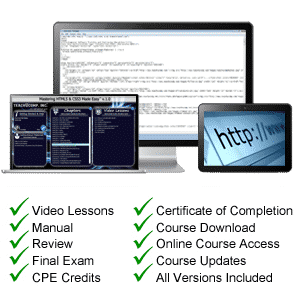
| Course Title: | Mastering HTML and CSS Made Easy |
|---|---|
| Versions Covered: | HTML5 & CSS3 |
| Hours of Content: | 3.5 |
| Video Lessons: | 125 |
| Manual: | 190 Pages |
| This Course: | $ |
| All Courses: | Every course. One price. | |
| Multi-User: | Group discounts |  |
Course Description
Learn HTML5 and CSS3 with this comprehensive course from TeachUcomp, Inc. Mastering HTML5 and CSS3 Made Easy features 125 video lessons with 3.5 hours of introductory through advanced instruction. Watch, listen and learn as your expert instructor guides you through each lesson step-by-step. During this media-rich learning experience, you will see each function performed just as if your instructor were there with you. Reinforce your learning with the text of our printable classroom instruction manual, additional images and practice exercises. You will learn how to create a website from scratch, while exploring all of the techniques to add the various elements of a website – text, links, images, CSS and much more.
If you are completely new to HTML and CSS or just need a refresher, this course will empower you with the knowledge and skills necessary to be a proficient user of HTML. We have incorporated years of classroom training experience and teaching techniques to develop an easy-to-use course that you can customize to meet your personal learning needs. Simply launch the easy-to-use interface, click to start a video lesson or open the manual and you’re on your way to mastering HTML5 and CSS3.
Course Syllabus & Sample Lessons
Select any of the video lessons marked to view them in a new window.
To view samples of the instruction manuals in PDF, click here: Introductory HTML5 and CSS3
| CHAPTER 1- | Getting Acquainted with HTML | |
| Lesson 1.1- | Introduction to the Internet | |
| Lesson 1.2- | Introduction to HTML Terminology | |
| Lesson 1.3- | Options for Writing HTML | |
| Lesson 1.4- | Unicode Transformation Format (UTF) | |
| Lesson 1.5- | HTML5 Resources | |
| CHAPTER 2- | New for HTML5 | |
| Lesson 2.1- | What’s Different in HTML5? | |
| Lesson 2.2- | <!DOCTYPE> in HTML5 | |
| CHAPTER 3- | Designing a Webpage | |
| Lesson 3.1- | Design Considerations and Planning | |
| Lesson 3.2- | Basic Tags and Document Structure | |
| Lesson 3.3- | HTML Tags | |
| Lesson 3.4- | Head Tags | |
| Lesson 3.5- | Title Tags | |
| Lesson 3.6- | Body Tags | |
| Lesson 3.7- | Metadata | |
| Lesson 3.8- | Saving an HTML Page | |
| CHAPTER 4- | Page Formatting | |
| Lesson 4.1- | Adding a New Paragraph | |
| Lesson 4.2- | Adding a Line Break | |
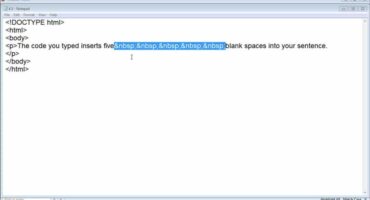
| Lesson 4.3- | Inserting Blank Space | |
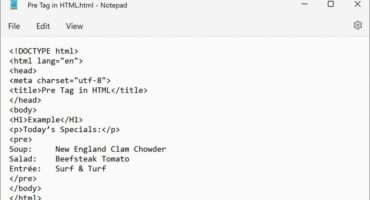
| Lesson 4.4- | Preformatted Text | |
| Lesson 4.5- | Changing a Page’s Background Color | |
| Lesson 4.6- | Div Element | |
| CHAPTER 5- | Text Items and Objects | |
| Lesson 5.1- | Headings | |
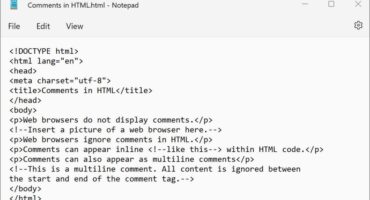
| Lesson 5.2- | Comments | |
| Lesson 5.3- | Block Quotes | |
| Lesson 5.4- | Horizontal Lines | |
| Lesson 5.5- | Special Characters | |
| CHAPTER 6- | Creating Lists | |
| Lesson 6.1- | Numbered (Ordered) Lists | |
| Lesson 6.2- | Bulleted (Unordered) Lists | |
| Lesson 6.3- | Nested Lists | |
| Lesson 6.4- | Definition Lists | |
| CHAPTER 7- | Links | |
| Lesson 7.1- | What are Links? | |
| Lesson 7.2- | Text Links | |
| Lesson 7.3- | Image Links | |
| Lesson 7.4- | Opening a Page in a New Window or Tab | |
| Lesson 7.5- | Setting all Links on a Page to Open in a New Window or Tab | |
| Lesson 7.6- | Linking to an Area on the Same Page (Bookmarks) | |
| Lesson 7.7- | Linking to an E-mail Address | |
| Lesson 7.8- | Linking to Other Types of Files | |
| CHAPTER 8- | Images | |
| Lesson 8.1- | Introduction to Images for Webpages | |
| Lesson 8.2- | Adding Images to Webpages | |
| Lesson 8.3- | Resizing an Image | |
| Lesson 8.4- | Alternative (ALT) Text | |
| Lesson 8.5- | Image Labels | |
| CHAPTER 9- | Basic Tables | |
| Lesson 9.1- | Inserting a Table | |
| Lesson 9.2- | Table Borders | |
| Lesson 9.3- | Table Headers | |
| CHAPTER 10- | IFrames | |
| Lesson 10.1- | What is an Iframe? | |
| Lesson 10.2- | Inserting Iframes | |
| Lesson 10.3- | Setting Height and Width | |
| Lesson 10.4- | Using an Iframe for a link target | |
| CHAPTER 11- | Forms | |
| Lesson 11.1- | About Forms | |
| Lesson 11.2- | Sending to E-mail | |
| Lesson 11.3- | Text Boxes | |
| Lesson 11.4- | Text Areas | |
| Lesson 11.5- | Check Boxes | |
| Lesson 11.6- | Menu Lists | |
| Lesson 11.7- | Radio Buttons | |
| Lesson 11.8- | The Submit Button | |
| Lesson 11.9- | The Reset Button | |
| Lesson 11.10- | Changing the Tab Order | |
| CHAPTER 12- | Video and Audio | |
| Lesson 12.1- | About Video and Audio Files | |
| Lesson 12.2- | Linking to Video and Audio Files | |
| Lesson 12.3- | Adding Video | |
| Lesson 12.4- | Adding Audio | |
| Lesson 12.5- | Using YouTube to Display Video | |
| CHAPTER 13- | Troubleshooting | |
| Lesson 13.1- | Troubleshooting | |
| CHAPTER 14- | Cascading Style Sheets | |
| Lesson 14.1- | What are Cascading Style Sheets? | |
| Lesson 14.2- | CSS Syntax | |
| Lesson 14.3- | Creating an External CSS | |
| Lesson 14.4- | Linking to a CSS | |
| Lesson 14.5- | Adding Comments and Notes to a CSS | |
| Lesson 14.6- | Creating an Internal Style Sheet | |
| Lesson 14.7- | ID and Class | |
| Lesson 14.8- | Inline Styling | |
| CHAPTER 15- | Working With Text in CSS | |
| Lesson 15.1- | Emphasizing Text (Bold and Italic) | |
| Lesson 15.2- | Decoration | |
| Lesson 15.3- | Indentation | |
| Lesson 15.4- | Transformation | |
| Lesson 15.5- | Text Alignment | |
| Lesson 15.6- | Fonts | |
| Lesson 15.7- | Font Sizes | |
| Lesson 15.8- | Letter Spacing (Kerning) | |
| Lesson 15.9- | Line Spacing (Leading) | |
| Lesson 15.10- | Text Color | |
| Lesson 15.11- | Margins | |
| Lesson 15.12- | Padding | |
| Lesson 15.13- | Borders | |
| Lesson 15.14- | Styling Links | |
| Lesson 15.15- | Number and Bullet Styles | |
| Lesson 15.16- | Sizing Elements | |
| Lesson 15.17- | Text Wrapping | |
| Lesson 15.18- | Shadowing | |
| CHAPTER 16- | Creating Backgrounds in CSS | |
| Lesson 16.1- | Colors | |
| Lesson 16.2- | Images | |
| Lesson 16.3- | Fixed Images | |
| CHAPTER 17- | Images in CSS | |
| Lesson 17.1- | Opacity | |
| Lesson 17.2- | Floating Images | |
| Lesson 17.3- | Image Galleries | |
| Lesson 17.4- | Image Sprites | |
| CHAPTER 18- | Box Model in CSS | |
| Lesson 18.1- | What is a box model? | |
| Lesson 18.2- | Margin | |
| Lesson 18.3- | Padding | |
| Lesson 18.4- | Border | |
| Lesson 18.5- | Outline | |
| CHAPTER 19- | Working With Elements in CSS | |
| Lesson 19.1- | Display and Visibility | |
| Lesson 19.2- | Grouping and Nesting | |
| Lesson 19.3- | Dimensions of Elements | |
| Lesson 19.4- | Positioning | |
| Lesson 19.5- | Floating | |
| Lesson 19.6- | Pseudo-Classes/Pseudo-Elements | |
| CHAPTER 20- | Adding a Navigation Bar in CSS | |
| Lesson 20.1- | Vertical Navigation Bar | |
| Lesson 20.2- | Horizontal Navigation Bar – Inline | |
| Lesson 20.3- | Horizontal Navigation Bar – Floating | |
| CHAPTER 21- | CSS Tables | |
| Lesson 21.1- | Borders | |
| Lesson 21.2- | Collapsed Borders | |
| Lesson 21.3- | Table Width and Cell Height | |
| Lesson 21.4- | Table Color | |
| Lesson 21.5- | Table Text Element | |
| Lesson 21.6- | Table Padding | |
| CHAPTER 22- | Working With Transforms in CSS | |
| Lesson 22.1- | What are Transforms? | |
| Lesson 22.2- | 2D Transforms | |
| Lesson 22.3- | 3D Transforms | |
| CHAPTER 23- | Transitions and Animations in CSS | |
| Lesson 23.1- | Transitions | |
| Lesson 23.2- | Animations | |
| CHAPTER 24- | CSS Shorthand | |
| Lesson 24.1- | Shorthand Properties |
HTML Training Course Overview
HTML is the programming language of the web. Today’s WYSIWYG (What You See Is What You Get) web development software (such as Adobe’s Dreamweaver and WordPress) make the creating of web pages point-and-click, writing the HTML code behind the scenes. However, it’s still important to understand the language behind web pages. During this 3.5 hour HTML5 and CSS3 video training course, our expert instructor will teach you how to design a basic webpage using HTML, as well as the many elements of pages including text, links, frames, forms and much more. This HTML tutorial covers the same material as our classroom training and was designed to provide a solid foundation in HTML.
Course includes video lessons, printable instruction manual, a practice exam with evaluative feedback (find out why your answers are right or wrong), your final exam submission, and a course certificate of completion.
At TeachUcomp, Inc., you choose how you want your HTML training delivered.
Online subscriptions offer the most flexibility and value. With online training, you can access your courses anytime and anywhere you have an internet connection (including all new releases and updates). Your subscription grants you instant access to ALL of our courses for one low price. There are no contracts and you can cancel at any time. You may choose between a monthly or annual plan.
Courses are also available individually via digital download and online for a one-time charge.