
TeachUcomp, Inc.

 MY CART
  • VIDEO COURSES
    • All-Access Subscriptions
    • Business Licensing
    • Course List
      • Accounting
      • Adobe
        • Acrobat
        • Lightroom Classic
        • Photoshop
        • Photoshop Elements
      • Crystal Reports
      • Employment Skills
        • Interview Skills
        • Resume Skills
      • For Lawyers
        • Excel for Lawyers
        • Outlook for Lawyers
        • QuickBooks for Lawyers
        • Word for Lawyers
      • HTML
      • JavaScript
      • Microsoft Office
        • Access
        • Excel
        • Microsoft Office Suite
        • OneNote
        • Outlook
        • Outlook on the Web
        • PowerPoint
        • Publisher
        • Word
      • Microsoft Project
      • Microsoft Teams
      • QuickBooks Online
      • QuickBooks Pro
      • Sage
        • Peachtree
        • Sage 50
      • SQL
      • Windows
    • My Courses
    • Video Course Options
  • SUBSCRIPTIONS
  • MANUALS
    • Adobe
      • Acrobat
      • Lightroom Classic
      • Photoshop
      • Photoshop Elements
    • Crystal Reports
    • For Lawyers
      • Excel for Lawyers
      • Outlook for Lawyers
      • QuickBooks for Lawyers
      • Word for Lawyers
    • HTML
    • JavaScript
    • Microsoft Office
      • Access
      • Excel
      • OneNote
      • Outlook
      • Outlook on the Web
      • PowerPoint
      • Publisher
      • Word
    • Microsoft Project
    • Microsoft Teams
    • QuickBooks Online
    • QuickBooks Pro
    • Sage
      • Peachtree
      • Sage 50
    • SQL
    • Windows
  • BOOKS
    • QuickBooks Online
  • REFERENCE CARDS
    • Adobe
      • Acrobat
      • Lightroom Classic
      • Photoshop
      • Photoshop Elements 2026
      • Photoshop Elements 2025
      • Photoshop Elements 2024
      • Photoshop Elements 2023
      • Photoshop Elements 2022
      • Photoshop Elements 2021
      • Photoshop Elements 2020
      • Photoshop Elements 2019
      • Photoshop Elements 2018
      • Photoshop Elements 15
    • FreshBooks
    • Google
      • Google Classroom for Teachers
      • Google Docs
      • Google Drive
      • Google Forms
      • Google Sheets
      • Google Slides
    • macOS
      • macOS Keyboard Shortcuts
      • macOS Tahoe
    • Microsoft Office
      • Excel Formulas and Functions
      • Excel Keyboard Shortcuts
      • Excel Tables PivotTables and Charts
      • Microsoft 365
        • Access for Microsoft 365
        • Excel for Microsoft 365
        • Microsoft Office 365
        • Outlook for Microsoft 365 Classic Edition
        • Outlook for Microsoft 365 (New Outlook)
        • PowerPoint for Microsoft 365
        • Publisher for Microsoft 365
        • Word for Microsoft 365
      • Microsoft Office 2021
        • Access 2021
        • Excel 2021
        • Microsoft Office 2021
        • OneNote for Windows 10
        • Outlook 2021
        • PowerPoint 2021
        • Publisher 2021
        • Word 2021
      • Microsoft Office 2019
        • Access 2019
        • Excel 2019
        • Microsoft Office 2019
        • Outlook 2019
        • PowerPoint 2019
        • Publisher 2019
        • Word 2019
      • Microsoft Office 2016
        • Access 2016
        • Excel 2016
        • Microsoft Office 2016
        • OneNote 2016
        • Outlook 2016
        • PowerPoint 2016
        • Publisher 2016
        • Word 2016
      • Microsoft Office 2013
        • Excel 2013
        • Microsoft Office 2013
        • OneNote 2013
        • Outlook 2013
        • PowerPoint 2013
        • Word 2013
      • Microsoft Office for iPad
        • Microsoft Office for iPad
      • Word Keyboard Shortcuts
    • Microsoft Teams
    • QuickBooks Online
    • QuickBooks Pro
      • QuickBooks Pro 2024
      • QuickBooks Pro 2023
      • QuickBooks Pro 2022
      • QuickBooks Pro 2021
      • QuickBooks Pro 2020
      • QuickBooks Pro 2019
      • QuickBooks Pro 2018
      • QuickBooks Pro 2017
      • QuickBooks Pro 2016
      • QuickBooks Pro 2015
      • QuickBooks Pro 2014
    • Sage 50 Accounting
    • SQL
    • Windows
      • Windows 11
      • Windows 11 and 10 Keyboard Shortcuts
      • Windows 10
  • SUPPORT
    • Company
      • About Us
      • Blog
      • Contact Us
      • Our History
      • Our Philosophy
        • Customer Service
        • Mission
      • Policies
      • Testimonials
    • FAQ
      • Contact Us
    • Help
    • Lost Password
    • Register a Product
  • LOGIN
    • Manage My Account
    • Member Login
    • My Courses
Shop Now

Prepare for an Interview- Tutorial

by Tiffany McGillie / Monday, October 19 2015 / Published in Business, Interviewing, Latest

Prepare for an Interview: Video Lesson

            This video lesson, titled “Prepare for the Interview,” discusses tips on how to prepare for an interview. This video on how to prepare for an interview is from our course, titled “Mastering Your Interview Made Easy v.1.0.”

Prepare for an Interview: Overview

            In this lesson, we will talk about a few things you can do to prepare for an interview. You can start to prepare for an interview by thinking about your travel to and from the interview. Once the interview is scheduled, put the interview location into an Internet map site, and ask yourself the following questions: Are you familiar with the location? If you will be driving to the interview, is there construction happening on your route, or are there parts of the route that tend to develop traffic jams? How long should it take to drive to the location? Once you arrive at the interview location, is there on-site parking, or will you have to find a parking lot? If the parking is metered, what is the maximum amount of time that you can stay at a meter? How much is parking likely to cost, and will you need to have coins handy in case of metered parking? If you are using mass transit to get to your job interview, how often do the trains or busses run? How much will the round-trip fare be, and will you have to pay it in cash? You should be able to find the answers to all of these questions online, or by calling the local city hall in the town where you are interviewing.
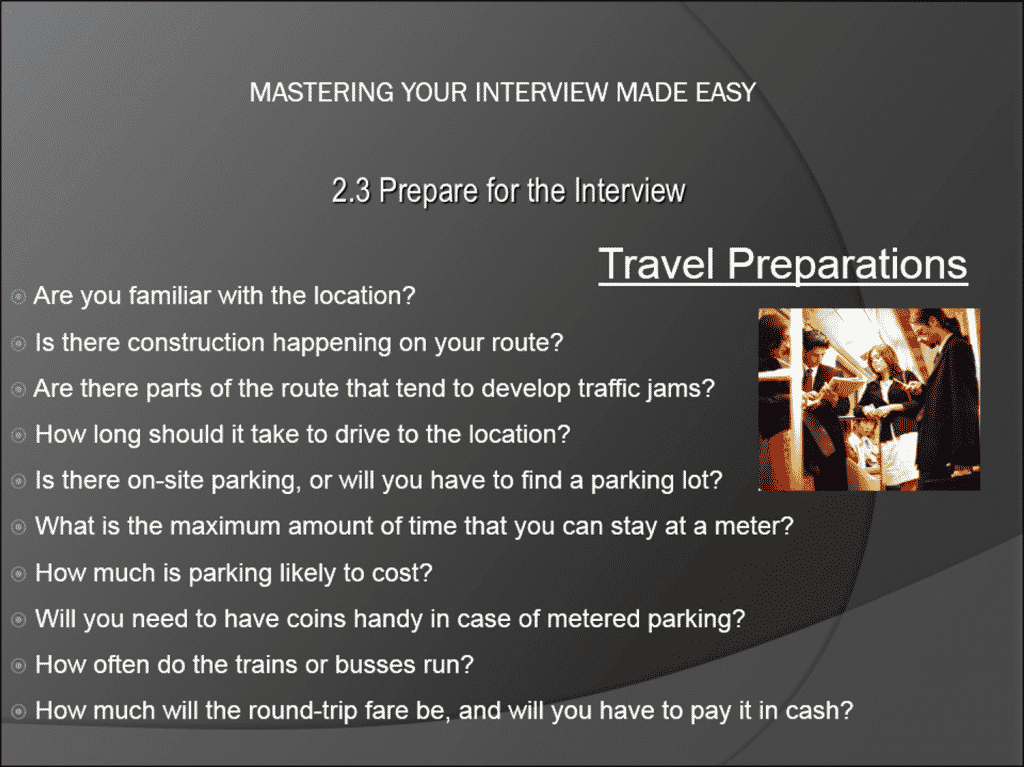
Prepare for an Interview- Tutorial: A picture of the list of travel-related questions you should consider before an interview.

Prepare for an Interview- Tutorial: A picture of the list of travel-related questions you should consider before an interview.

            Another thing to do to prepare for an interview, once you have got an interview scheduled, is create a printed list of your professional references, and a printed copy of your resume. Do not assume that the interviewer will have your resume sitting in front of him or her. Remember, the person interviewing you will most likely be the head of the department to which you are applying- in other words, your next boss. Anything you can do to make his or her life easier during the interview is going to have a positive impact. As far as the references are concerned, print them out on their own sheet, with something like “Personal References for Mary Cessna” at the top.

            Finally, check the weather forecast. Will you need an umbrella or a hat? It is often helpful to put together a small “interview emergency pack” to take with you. Include breath mints, tissue, lip balm, a few coins, a bandage, a toothpick, and so forth. By thinking in advance about those little things that go wrong in life, you can avoid them- or at least be prepared when they happen.

Tagged under: course, help, how-to, interview, interview preparation, interviewing, job interview, learn, lesson, overview, prepare, preparing, teach, tips, training, tutorial, video

About Tiffany McGillie

Sale! One Year Online Entire Library $29. Click here to see the deals.


Categories

  • GET SOCIAL

© 2001-2026 Copyright TeachUcomp, Inc. All rights reserved.

TOP
SALE! $29 All-Access 4 Days 12 Hours 5 Minutes 56 Seconds      $199 $29 Entire Library!
See Deal