MY CART
Peachtree Tutorial Course 

| Course Title: | Mastering Peachtree Made Easy |
|---|---|
| Versions Covered: | 2012, 2011 & 2010 |
| Hours of Content: | 8 |
| Video Lessons: | 122 |
| Manual: | 227 Pages |
| This Course: | $ |
| All Courses: | Every course. One price. | |
| Multi-User: | Group discounts |  |
Course Description
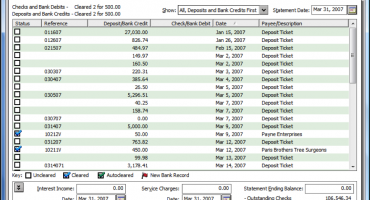
Learn Peachtree Accounting software with this comprehensive course from TeachUcomp, Inc. Mastering Peachtree Made Easy features 122 video lessons with over 8 hours of introductory through advanced instruction. Watch, listen and learn as your expert instructor guides you through each lesson step-by-step. During this media-rich learning experience, you will see each function performed just as if your instructor were there with you. Reinforce your Peachtree training with the text of our two printable classroom instruction manuals (Introductory and Advanced), additional images and practice exercises. You will learn how to set up a Peachtree company file, pay employees and vendors, create custom reports, reconcile your accounts, use estimating, time tracking and much more.
Whether you are completely new to Peachtree or upgrading from an older version, this course will empower you with the knowledge and skills necessary to be a proficient user. We have incorporated years of classroom training experience and teaching techniques to develop an easy-to-use course that you can customize to meet your personal learning needs. Simply launch the easy-to-use interface, click to start a video lesson or open one of the manuals and you’re on your way to mastering Peachtree.
Course Syllabus & Sample Lessons
Select any of the video lessons marked to view them in a new window.
To view samples of the instruction manuals in PDF, click here: Introductory Peachtree | Advanced Peachtree
| CHAPTER 1- | Getting Acquainted with Peachtree | |
| Lesson 1.1- | The Peachtree Environment | |
| Lesson 1.2- | The Peachtree Navigation Centers | |
| Lesson 1.3- | Using the Menu Bar | |
| Lesson 1.4- | Using the Main Application Toolbar | |
| Lesson 1.5- | Learning Common Business Terms | |
| CHAPTER 2- | Setting Up a Company | |
| Lesson 2.1- | Creating a Peachtree Company | |
| Lesson 2.2- | Setting Customer Defaults | |
| Lesson 2.3- | Setting Vendor Defaults | |
| Lesson 2.4- | Setting Inventory Defaults | |
| Lesson 2.5- | The Payroll Setup Wizard | |
| Lesson 2.6- | Setting Payroll & Employee Defaults | |
| Lesson 2.7- | Setting Job Defaults | |
| Lesson 2.8- | Making a Backup | |
| Lesson 2.9- | Restoring from a Backup File | |
| CHAPTER 3- | Using the General Ledger | |
| Lesson 3.1- | General Ledger Default Settings | |
| Lesson 3.2- | Adding Accounts | |
| Lesson 3.3- | Deleting Accounts | |
| Lesson 3.4- | Adding Beginning Account Balances | |
| Lesson 3.5- | Adding General Journal Entries | |
| Lesson 3.6- | Basic General Ledger Reports | |
| Lesson 3.7- | Entering Account Budgets | |
| Lesson 3.8- | The Cash Account Register | |
| CHAPTER 4- | Starting Accounts Receivable | |
| Lesson 4.1- | Setting Up Accounts Receivable Defaults | |
| Lesson 4.2- | Adding Customers | |
| Lesson 4.3- | Adding Customer Beginning Balances | |
| Lesson 4.4- | Setting Statement and Invoice Defaults | |
| Lesson 4.5- | Sales Orders & Invoicing | |
| Lesson 4.6- | The Sales Orders Window | |
| Lesson 4.7- | The Sales/Invoicing Window | |
| Lesson 4.8- | The Receipts Window | |
| Lesson 4.9- | Statements and Finance Charges | |
| Lesson 4.10- | Selecting Deposits | |
| Lesson 4.11- | Changing a Record ID | |
| CHAPTER 5- | Starting Accounts Payable | |
| Lesson 5.1- | Setting Up Accounts Payable Defaults | |
| Lesson 5.2- | Adding Vendors | |
| Lesson 5.3- | Adding Beginning Balances for Vendors | |
| Lesson 5.4- | The Purchase Orders Window | |
| Lesson 5.5- | Entering a Drop Shipment | |
| Lesson 5.6- | Select for Purchase Orders | |
| Lesson 5.7- | The Purchases/Receive Inventory Window | |
| Lesson 5.8- | The Payments Window | |
| Lesson 5.9- | The Select For Payment Window | |
| CHAPTER 6- | Adding Inventory | |
| Lesson 6.1- | Adding Inventory | |
| Lesson 6.2- | Removing Inventory | |
| Lesson 6.3- | Entering Inventory Beginning Balances | |
| Lesson 6.4- | Building and Unbuilding Assemblies | |
| Lesson 6.5- | Making Inventory Adjustments | |
| Lesson 6.6- | Changing Item Prices | |
| CHAPTER 7- | Creating Payroll | |
| Lesson 7.1- | Adding Employees | |
| Lesson 7.2- | Adding Employee Beginning Balances | |
| Lesson 7.3- | Paying a Group of Employees | |
| Lesson 7.4- | Paying an Employee | |
| Lesson 7.5- | Creating Payroll Formulas | |
| Lesson 7.6- | Elements of Payroll Formulas | |
| CHAPTER 8- | Account Management | |
| Lesson 8.1- | Writing Checks | |
| Lesson 8.2- | Voiding Checks | |
| Lesson 8.3- | Reconciling Bank Accounts | |
| Lesson 8.4- | Changing the Accounting Period | |
| CHAPTER 9- | Using Sales Tax | |
| Lesson 9.1- | The Sales Tax Wizard | |
| Lesson 9.2- | Sales Tax Authorities | |
| Lesson 9.3- | Sales Tax Codes & Exempt Sales | |
| Lesson 9.4- | Collecting Sales Tax | |
| Lesson 9.5- | Paying Sales Taxes | |
| CHAPTER 10- | Using Quotes | |
| Lesson 10.1- | Entering Quotes | |
| Lesson 10.2- | Converting Quotes | |
| CHAPTER 11- | Job Tracking | |
| Lesson 11.1- | Setting Up a Job | |
| Lesson 11.2- | Setting Job Defaults | |
| Lesson 11.3- | Entering Beginning Balances for Jobs | |
| Lesson 11.4- | Making Purchases for a Job | |
| Lesson 11.5- | Invoicing for Job Purchases | |
| Lesson 11.6- | Job Tracking | |
| CHAPTER 12- | Time and Billing | |
| Lesson 12.1- | Adding Time Ticket Employees | |
| Lesson 12.2- | Entering Activity Items | |
| Lesson 12.3- | Entering Charge Items | |
| Lesson 12.4- | Entering Time Tickets | |
| Lesson 12.5- | Entering Expense Tickets | |
| Lesson 12.6- | Billing Time and Expense Tickets | |
| CHAPTER 13- | Changing System Settings | |
| Lesson 13.1- | Changing Posting Methods | |
| Lesson 13.2- | Posting/Unposting | |
| Lesson 13.3- | Memorized Transactions | |
| Lesson 13.4- | Using the Purge Wizard | |
| Lesson 13.5- | Using the Year-End Wizard | |
| CHAPTER 14- | Reporting | |
| Lesson 14.1- | The Cash Manager | |
| Lesson 14.2- | The Collection Manager | |
| Lesson 14.3- | The Payment Manager | |
| Lesson 14.4- | The Financial Manager | |
| Lesson 14.5- | Find on Report | |
| Lesson 14.6- | Preset Reports | |
| Lesson 14.7- | Report Groups | |
| Lesson 14.8- | Modifying Reports | |
| Lesson 14.9- | Exporting Reports to Excel | |
| Lesson 14.10- | Importing & Exporting Data | |
| Lesson 14.11- | Exporting to PDF | |
| Lesson 14.12- | Modifying Screen Templates | |
| Lesson 14.13- | Modifying Forms | |
| CHAPTER 15- | The Internal Accounting Review | |
| Lesson 15.1- | Using the Internal Accounting Review | |
| CHAPTER 16- | Action Items | |
| Lesson 16.1- | Events | |
| Lesson 16.2- | To-Do Items | |
| Lesson 16.3- | Alerts | |
| CHAPTER 17- | Options | |
| Lesson 17.1- | Changing Global Options | |
| Lesson 17.2- | Changing the System Date | |
| CHAPTER 18- | Assets and Liabilities | |
| Lesson 18.1- | Assets and Liabilities | |
| Lesson 18.2- | Creating an Other Current Assets Account | |
| Lesson 18.3- | Subtracting Value from an Other Current Assets Account | |
| Lesson 18.4- | Creating a Fixed Assets Account | |
| Lesson 18.5- | Accumulated Depreciation | |
| Lesson 18.6- | Liability Accounts | |
| Lesson 18.7- | Paying on a Long Term Liability | |
| Lesson 18.8- | Equity | |
| CHAPTER 19- | Credits | |
| Lesson 19.1- | Entering Credit Memos | |
| Lesson 19.2- | Applying Credit Memos | |
| Lesson 19.3- | Entering Vendor Credit Memos | |
| CHAPTER 20- | Help | |
| Lesson 20.1- | Using the Contents | |
| Lesson 20.2- | Using the Index | |
| Lesson 20.3- | Using the Search Feature |
Peachtree Training Course Overview
Sage‘s Peachtree is a popular small business accounting software. During this 8 hour Peachtree video training course, our expert instructor will show you how to set up a Peachtree company file, pay employees and vendors, create custom reports, reconcile your accounts, use estimating, time tracking and much more.
This Peachtree training course covers the same material as our two-day classroom training and was designed to provide a solid foundation in Peachtree.
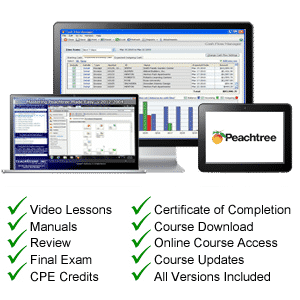
Course includes video lessons, printable instruction manuals, a practice exam with evaluative feedback (find out why your answers are right or wrong), your final exam submission, and a course certificate of completion.
At TeachUcomp, Inc., you choose how you want your Peachtree training delivered.
Online subscriptions offer the most flexibility and value. With online training, you can access your courses anytime and anywhere you have an internet connection (including all new releases and updates). Your subscription grants you instant access to ALL of our courses for one low price. There are no contracts and you can cancel at any time. You may choose between a monthly or annual plan.
Courses are also available individually via digital download and online for a one-time charge.