
How to Reopen a Frequently Opened File or Folder in File Explorer in Windows 11
Thursday, September 24 2026
by Joseph Brownell
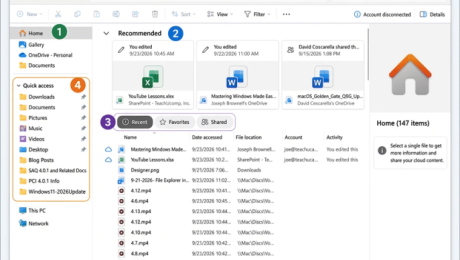
How to Reopen a Frequently Opened File or Folder in File Explorer in Windows 11: Video Lesson This video lesson, titled “How to Reopen a Frequently Opened File or Folder in File Explorer in Windows 11: A Training Tutorial,” shows you how to quickly find recently used files and folders in File Explorer
file explorerFile Explorer HomeFile Explorer home viewFile Explorer navigationFile Explorer tutorialfrequently used foldersopen recent documentspin to Quick Accesspinned foldersquick accessrecent files Windows 11recent itemsrecently opened filesreopen recent filesreopen recent foldersteachucompWindows 11windows 11 tutorialWindows courseWindows productivityWindows tipswindows training
- Published in Latest, Microsoft, Windows 11
No Comments
How to Navigate Folders in File Explorer in Windows 11
Tuesday, September 22 2026
by Joseph Brownell
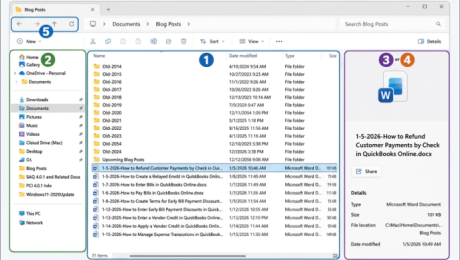
How to Navigate Folders in File Explorer in Windows 11: Video Lesson This video lesson, titled “How to Navigate Folders in Windows 11 Using File Explorer: A Windows 11 Training Tutorial,” shows you how to navigate folders in File Explorer in Windows 11. This video lesson is from our complete Windows tutorial, titled
Back button File Explorerbeginner Windows 11browse folders Windows 11computer basicsdetails pane Windows 11File Explorer basicsFile Explorer navigationFile Explorer tutorialfolder hierarchy Windows 11Forward button File Explorermanage files and foldersmicrosoft windows coursenavigate File Explorernavigate folders Windows 11navigation pane Windows 11open files Windows 11open folders Windows 11preview pane Windows 11teachucompUp button File ExplorerWindows 11 folderswindows 11 trainingwindows 11 tutorialWindows file management
- Published in Latest, Microsoft, Windows 11


