
How to Change Folder Views within File Explorer in Windows 11
Friday, September 25 2026
by Joseph Brownell
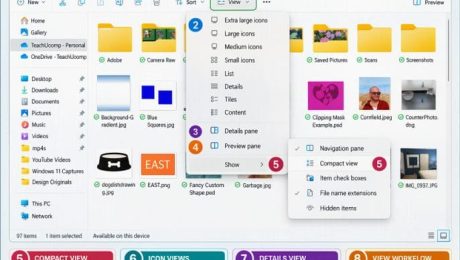
How to Change Folder Views within File Explorer in Windows 11: Video Lesson This video lesson, titled “How to Change Folder Views within File Explorer in Windows 11: A Windows 11 Training Tutorial,” shows you how to change the view of the current folder shown within File Explorer in Windows 11. This video
changing folder viewsCompact viewContent viewcustomize File ExplorerDetails paneDetails viewExtra large iconsfile explorerFile Explorer tutorialFile Explorer viewsfile organizationfolder views Windows 11Large iconsList viewPreview paneSmall iconsteachucompTiles viewWindows 11windows 11 tutorialWindows file managementWindows tipswindows training
- Published in Latest, Microsoft, Windows 11
No Comments
How to Reopen a Frequently Opened File or Folder in File Explorer in Windows 11
Thursday, September 24 2026
by Joseph Brownell
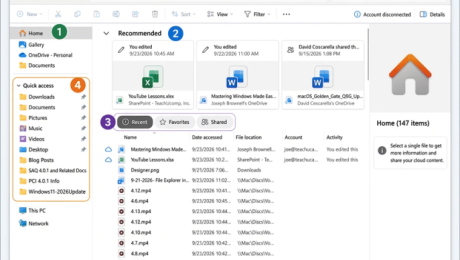
How to Reopen a Frequently Opened File or Folder in File Explorer in Windows 11: Video Lesson This video lesson, titled “How to Reopen a Frequently Opened File or Folder in File Explorer in Windows 11: A Training Tutorial,” shows you how to quickly find recently used files and folders in File Explorer
file explorerFile Explorer HomeFile Explorer home viewFile Explorer navigationFile Explorer tutorialfrequently used foldersopen recent documentspin to Quick Accesspinned foldersquick accessrecent files Windows 11recent itemsrecently opened filesreopen recent filesreopen recent foldersteachucompWindows 11windows 11 tutorialWindows courseWindows productivityWindows tipswindows training
- Published in Latest, Microsoft, Windows 11


