MY CART
Microsoft Outlook Tutorial Course 

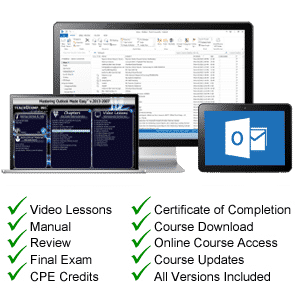
| Course Title: | Mastering Outlook Made Easy |
|---|---|
| Versions Covered: | 2019 through 2007 & Microsoft 365 |
| Hours of Content: | 4 |
| Video Lessons: | 101 |
| Manual: | 177 Pages |
| This Course: | $ |
| All Courses: | Every course. One price. | |
| Multi-User: | Group discounts |  |
Course Description
Learn Microsoft Outlook with this comprehensive course from TeachUcomp, Inc. Mastering Outlook Made Easy features 101 video lessons with over 4 hours of introductory through advanced instruction. Watch, listen and learn as your expert instructor guides you through each lesson step-by-step. During this media-rich learning experience, you will see each function performed just as if your instructor were there with you. Reinforce your learning with the text of our printable classroom instruction manual (177 pages), additional images and practice exercises. You will learn all about email, tasks, effective use of the journal and calendar, advanced mailbox options and much more.
Whether you are completely new to Outlook or upgrading from an older version, this course will empower you with the knowledge and skills necessary to be a proficient user. We have incorporated years of classroom training experience and teaching techniques to develop an easy-to-use course that you can customize to meet your personal learning needs. Simply launch the easy-to-use interface, click to start a video lesson or open the manual and you’re on your way to mastering Outlook.
Course Syllabus & Sample Lessons
Select any of the video lessons marked to view them in a new window.
To view a sample of the instruction manual in PDF, click here: Sample Outlook Manual
| CHAPTER 1- | Getting Acquainted with Outlook | |
| Lesson 1.1- | The Outlook Environment | |
| Lesson 1.2- | The Title Bar | |
| Lesson 1.3- | The Ribbon | |
| Lesson 1.4- | The Quick Access Toolbar | |
| Lesson 1.5- | Touch Mode | |
| Lesson 1.6- | The Navigation Bar, Folder Pane, Reading Pane, and To-Do Bar | |
| CHAPTER 2- | Making Contacts | |
| Lesson 2.1- | The Contacts Folder | |
| Lesson 2.2- | Customizing the Contacts Folder View | |
| Lesson 2.3- | Creating Contacts | |
| Lesson 2.4- | Basic Contact Management | |
| Lesson 2.5- | Printing Contacts | |
| Lesson 2.6- | Creating Contact Groups | |
| Lesson 2.7- | Categorizing Contacts | |
| Lesson 2.8- | Searching for Contacts | |
| Lesson 2.9- | Calling Contacts | |
| Lesson 2.10- | Mapping a Contact’s Address | |
| CHAPTER 3- | ||
| Lesson 3.1- | Using the Inbox | |
| Lesson 3.2- | Changing the Inbox View | |
| Lesson 3.3- | Message Flags | |
| Lesson 3.4- | Searching for Messages | |
| Lesson 3.5- | Creating, Addressing, and Sending Messages | |
| Lesson 3.6- | Checking Message Spelling | |
| Lesson 3.7- | Setting Message Options | |
| Lesson 3.8- | Formatting Messages | |
| Lesson 3.9- | Using Signatures | |
| Lesson 3.10- | Replying to Messages | |
| Lesson 3.11- | Forwarding Messages | |
| Lesson 3.12- | Sending Attachments | |
| Lesson 3.13- | Opening Attachments | |
| Lesson 3.14- | Ignoring Conversations | |
| CHAPTER 4- | The Sent Items Folder | |
| Lesson 4.1- | The Sent Items Folder | |
| Lesson 4.2- | Resending Messages | |
| Lesson 4.3- | Recalling Messages | |
| CHAPTER 5- | The Outbox Folder | |
| Lesson 5.1- | Using the Outbox | |
| Lesson 5.2- | Using the Drafts Folder | |
| CHAPTER 6- | Using the Calendar | |
| Lesson 6.1- | The Calendar Window | |
| Lesson 6.2- | Switching the Calendar View | |
| Lesson 6.3- | Navigating the Calendar | |
| Lesson 6.4- | Appointments, Meetings and Events | |
| Lesson 6.5- | Manipulating Calendar Objects | |
| Lesson 6.6- | Setting an Appointment | |
| Lesson 6.7- | Scheduling a Meeting | |
| Lesson 6.8- | Checking Meeting Attendance Status | |
| Lesson 6.9- | Responding to Meeting Requests | |
| Lesson 6.10- | Scheduling an Event | |
| Lesson 6.11- | Setting Recurrence | |
| Lesson 6.12- | Printing the Calendar | |
| Lesson 6.13- | Teams Meetings in Outlook | |
| Lesson 6.14- | Meeting Notes | |
| CHAPTER 7- | Tasks | |
| Lesson 7.1- | Using Tasks | |
| Lesson 7.2- | Printing Tasks | |
| Lesson 7.3- | Creating a Task | |
| Lesson 7.4- | Setting Task Recurrence | |
| Lesson 7.5- | Creating a Task Request | |
| Lesson 7.6- | Responding to Task Requests | |
| Lesson 7.7- | Sending Status Reports | |
| Lesson 7.8- | Deleting Tasks | |
| CHAPTER 8- | Deleted Items | |
| Lesson 8.1- | The Deleted Items Folder | |
| Lesson 8.2- | Permanently Deleting Items | |
| Lesson 8.3- | Recovering Deleted Items | |
| Lesson 8.4- | Recovering and Purging Permanently Deleted Items | |
| CHAPTER 9- | Groups | |
| Lesson 9.1- | Accessing Groups | |
| Lesson 9.2- | Creating a New Group | |
| Lesson 9.3- | Adding Members to Groups and Inviting Others | |
| Lesson 9.4- | Contributing to Groups | |
| Lesson 9.5- | Managing Files in Groups | |
| Lesson 9.6- | Accessing the Group Calendar and Notebook | |
| Lesson 9.7- | Following and Stop Following Groups | |
| Lesson 9.8- | Leaving Groups | |
| Lesson 9.9- | Editing, Managing and Deleting Groups | |
| CHAPTER 10- | The Journal Folder | |
| Lesson 10.1- | The Journal Folder | |
| Lesson 10.2- | Switching the Journal View | |
| Lesson 10.3- | Recording Journal Items | |
| Lesson 10.4- | Opening Journal Entries and Documents | |
| Lesson 10.5- | Deleting Journal Items | |
| CHAPTER 11- | Public Folders | |
| Lesson 11.1- | Creating Public Folders | |
| Lesson 11.2- | Setting Permissions | |
| Lesson 11.3- | Folder Rules | |
| Lesson 11.4- | Copying Public Folders | |
| CHAPTER 12- | Personal & Private Folders | |
| Lesson 12.1- | Creating a Personal Folder | |
| Lesson 12.2- | Setting AutoArchiving for Folders | |
| Lesson 12.3- | Creating Private Folders | |
| Lesson 12.4- | Creating Search Folders | |
| Lesson 12.5- | One-Click Archiving | |
| CHAPTER 13- | Notes | |
| Lesson 13.1- | Creating and Using Notes | |
| CHAPTER 14- | Advanced Mailbox Options | |
| Lesson 14.1- | Creating Mailbox Rules | |
| Lesson 14.2- | Creating Custom Mailbox Views | |
| Lesson 14.3- | Handling Junk Mail | |
| Lesson 14.4- | Color Categorizing | |
| Lesson 14.5- | Advanced Find | |
| Lesson 14.6- | Mailbox Cleanup | |
| CHAPTER 15- | Outlook Options | |
| Lesson 15.1- | Using Shortcuts | |
| Lesson 15.2- | Adding Additional Profiles | |
| Lesson 15.3- | Adding Accounts | |
| Lesson 15.4- | Outlook Options | |
| Lesson 15.5- | Using Outlook Help | |
| CHAPTER 16- | Delegates | |
| Lesson 16.1- | Creating a Delegate | |
| Lesson 16.2- | Acting as a Delegate | |
| Lesson 16.3- | Deleting a Delegate | |
| CHAPTER 17- | Security | |
| Lesson 17.1- | Types of Email Encryption in Outlook | |
| Lesson 17.2- | Sending Encrypted Email |
Microsoft Outlook Training Course Overview
Outlook is Microsoft‘s popular email and personal information manager application. During this 4 hour Outlook video training course, you will discover that Outlook is quite powerful and useful for more than just email. Our expert instructor will teach you all about email, tasks, effective use of the journal and calendar, advanced mailbox options and much more. This Outlook tutorial covers the same material as our two-day classroom training and was designed to provide a solid foundation in Outlook.
Course includes video lessons, printable instruction manuals, a practice exam with evaluative feedback (find out why your answers are right or wrong), your final exam submission, and a course certificate of completion.
At TeachUcomp, Inc., you choose how you want your Outlook training delivered.
Online subscriptions offer the most flexibility and value. With online training, you can access your courses anytime and anywhere you have an internet connection (including all new releases and updates). Your subscription grants you instant access to ALL of our courses for one low price. There are no contracts and you can cancel at any time. You may choose between a monthly or annual plan.
Courses are also available individually via digital download and online for a one-time charge.