
 MY CART
Adjusting General Settings in Windows 8
Tuesday, November 12 2013
Adjusting General Settings in Windows 8: Within the “PC settings” app window in Windows 8, you can click the “General” category at the left side of the screen to display general Windows options in the area to the right. Within this category, the options are grouped into eight main subcategories listed at the right side:
No Comments
Microsoft Word for Lawyers: Using Legal Templates in Word 2013
Monday, November 11 2013
Using Legal Templates There are a variety of legal templates that you can use that allow you to quickly create professional legal documents of many types. To download and use the templates that are available on office.com, you will need to be connected to the Internet. Assuming that you have an internet-connected computer, you can
- Published in Latest, Microsoft Word Training for Lawyers
Microsoft Outlook 2013 For Lawyers: Task Tracking
Friday, November 08 2013
Microsoft Outlook contains features that can come in handy for law firms, attorneys, lawyers, and anyone who practices law. In this post, we will cover task tracking. Task Tracking for Lawyers in Outlook 2013 vs. Forwarding Email Many times you may have the temptation to forward an email that needs follow-up to an assistant or
- Published in Latest, Microsoft Outlook Training for Lawyers
Word for Lawyers: Using the Research Pane in Microsoft Word 2013
Wednesday, November 06 2013

- Published in Latest, Microsoft Word Training for Lawyers
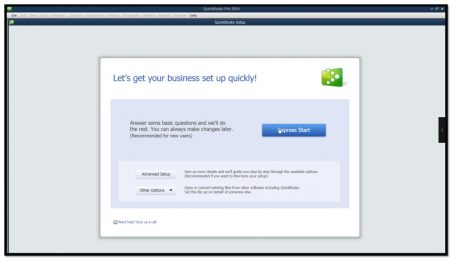
QuickBooks for Lawyers: Making a Legal Company Using Express Start in QuickBooks 2014
Wednesday, November 06 2013
- Published in Latest, QuickBooks Training for Lawyers
Adding Data Fields to a Report in Crystal Reports 2011
Monday, November 04 2013
Adding Data Fields to a Report in Crystal Reports 2011: Video This video shows adding data fields to a report in Crystal Reports 2011. How to Add Data Fields to a Report in Crystal Reports 2011: Overview Once you have a new report with a data source displayed in the report design view in Crystal
- Published in Crystal Reports, Latest
Starting a Mail Merge in Microsoft Word 2013
Friday, November 01 2013
Starting a Mail Merge in Microsoft Word 2013: Video This video shows starting a mail merge in Microsoft Word 2013. What is a Mail Merge? Starting a mail merge in Microsoft Word 2013 lets you use the features in Word’s “Mailings” tab in the Ribbon to perform automated mailings. This is often referred to as
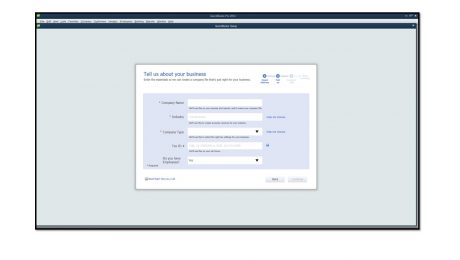
Using Express Start in QuickBooks 2014
Tuesday, October 29 2013
- Published in Latest, Quickbooks