Training in HTML5: Working with Text in CSS3: Bolding and Italicizing Text
Wednesday, May 14 2014
Need more training in HTML5 and CSS3? Click here for the complete tutorial! Emphasizing Text (Bold and Italic) To bold text in a CSS style rule, use the FONT-WEIGHT property. You can use the default value of “bold” or you can assign a degree of boldness with
The CREATE VIEW Statement in SQL
Tuesday, May 13 2014
The CREATE VIEW Statement in SQL: Video This video lesson shows you how to use the CREATE VIEW statement in SQL. Need training for SQL? Click here for the complete video training. About Views in SQL: A view is a virtual table that is based on the results of a SELECT statement. They are very
QuickBooks 2014 Training: How to Use QuickBooks Payroll- Creating Paychecks (pt 4)
Friday, May 09 2014
Click here for the complete QuickBooks tutorial. This post is part 4 of a QuickBooks Payroll training series. Click here for parts: 1 2 and 3 Creating Unscheduled Paychecks You can also create unscheduled paychecks for additional checks, such as bonus checks. You can select “Employees| Pay Employees| Unscheduled Payroll” from the Menu
- Published in Latest, Quickbooks
QuickBooks 2014 Training: How to Use QuickBooks Payroll- Creating Payroll Schedules (pt 3)
Thursday, May 08 2014
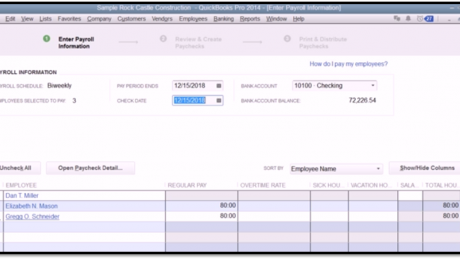
Click here for the complete QuickBooks tutorial. This post is part 3 of a QuickBooks Payroll training series. Click here for parts: 1 and 2 Creating Payroll Schedules In QuickBooks, you will most often create employee paychecks by using the scheduled payroll feature. However, if needed, you can also
- Published in Latest, Quickbooks
HTML5 Training: How to Format a Page in HTML5
Tuesday, May 06 2014

Understanding how to format a page in HTML5 is very important. In this post, we will examine some basic techniques and tags to help you format a page in html5. Click here to view the entire tutorial. Adding a New Paragraph When you are working in a word
QuickBooks 2014 Training: How to Use QuickBooks Payroll- Setting Up Employee Payroll(pt 2)
Monday, May 05 2014
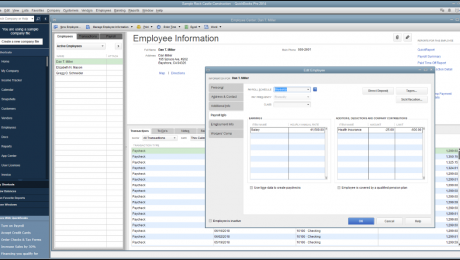
For the complete QuickBooks 2014 training, click here Setting Up Employee Payroll Information You can enter employee payroll information when you add new employees to the “Employees” list within the “New Employee” window. You can also edit the employee’s payroll data by using the “Edit Employee” window,
- Published in Latest, Quickbooks
QuickBooks 2014 Training: How to Use QuickBooks Payroll- The Payroll Process (pt 1)
Friday, May 02 2014
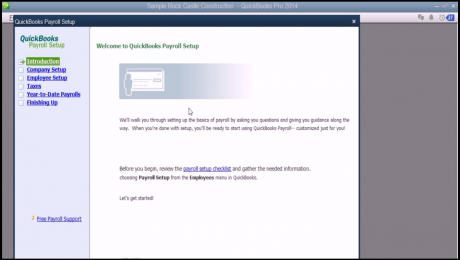
To view the complete tutorial, click here The QuickBooks Payroll Process: Before you can use the payroll features of QuickBooks, you must set up payroll for your company in QuickBooks. To find out how you do this, select “Employees| Payroll| Turn on Payroll in QuickBooks” from the
- Published in Latest, Quickbooks