
 MY CART
Inserting Videos into Presentation Slides in Microsoft PowerPoint 2010
Monday, December 30 2013
Inserting Videos into Presentation Slides in Microsoft PowerPoint 2010: Video This video shows inserting videos into presentation slides in Microsoft PowerPoint 2010. How to Insert Videos in PowerPoint 2010: Overview You can insert video files into your presentation slides in PowerPoint 2010. For example, you could take training videos that you have created and insert
- Published in Latest, PowerPoint 2010
No Comments
Creating a Table of Contents in Microsoft Word 2010
Monday, December 23 2013
Creating a Table of Contents in Microsoft Word 2010: Video This video shows creating a table of contents in Microsoft Word 2010. How to Create a Table of Contents in Word 2010: Overview Word makes it easy to create a table of contents for formal papers or longer documents. The process is fairly simple and
Creating an Index in Microsoft Word 2010
Friday, December 20 2013
Creating an Index in Microsoft Word 2010: Video This video shows creating an index in Microsoft Word 2010. How to Create an Index in Word 2010: Overview In Microsoft Word, you can create an index of entries or topics for formal papers or long documents. This process is similar in nature to creating a table
Using Apps in Windows 8.1
Thursday, December 19 2013
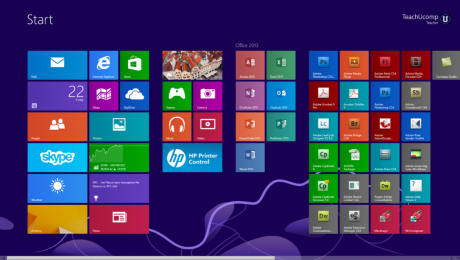
- Published in Latest, Windows 8.1
How to Access Settings in Windows 8.1
Wednesday, December 18 2013
- Published in Latest
Navigate the Calendar in Microsoft Outlook 2010
Friday, December 06 2013
How to Navigate the Calendar in Microsoft Outlook 2010: Video This video shows you how to navigate the Calendar in Microsoft Outlook 2010. Navigating the Calendar in Outlook 2010: Overview To open the calendar and display a specific date using the Date Navigator, open the Calendar folder. Then use the “Previous Month” and “Next Month”
- Published in Latest, Outlook 2010
IOLTA Basics- Excel 2013 for Lawyers
Wednesday, December 04 2013
IOLTA Basics: Video This video shows the IOLTA basics, including what an IOLTA account is and when to use an IOLTA account. IOLTA Basics: Overview An IOLTA, or Interest on Lawyer’s Trust Account, is used to hold client funds separately from the funds of a law firm or individual lawyer. An IOLTA account is an
- Published in Latest, Microsoft Excel Training for Lawyers