Creating Charts in Microsoft Excel 2013
Wednesday, August 14 2013
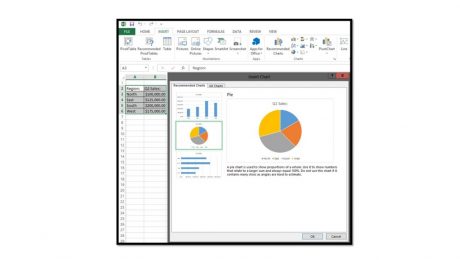
Excel 2013 allows you to create charts from the data stored in a worksheet more easily than in previous versions. Charts are useful for times when you wish to create visual representations of the worksheet data for meetings, presentations, or reports. To insert a chart, first select the cell range that contains the data that
- Published in Excel 2013, Latest
No Comments
Basic Tasks in Microsoft PowerPoint 2013: Opening, Closing, and Saving Presentations
Monday, August 12 2013
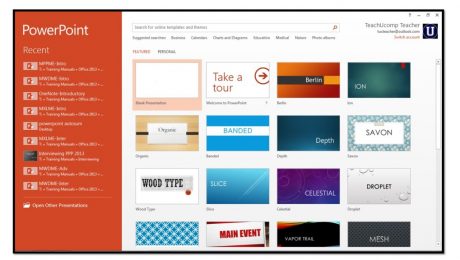
Opening a New Presentation 1. When you initially open PowerPoint, you can see a listing of recently opened presentations shown in the panel at the left side of the startup screen, under the “Recent” section.You can open one of these listed presentations by clicking on its name within the panel to reopen it. 2. To
- Published in Latest, PowerPoint 2013
Basic Tasks in Microsoft OneNote 2013
Friday, August 09 2013
Opening a New Notebook By default, OneNote will open the notebooks you were working on when you last closed the program. If the notebook is not open and displayed in the Notebook drop-down, click the “File” tab in the Ribbon and click on “Open” in Backstage View. If the notebook is stored in the cloud, click
- Published in Latest, OneNote 2013
How to Use the AutoSum Feature in Microsoft Excel 2013
Thursday, August 08 2013
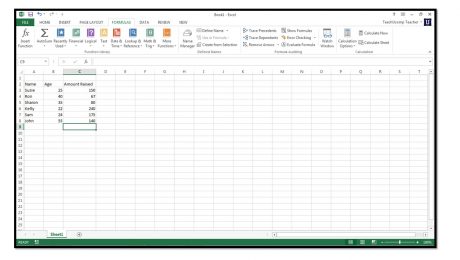
Much of the time, people use Excel to sum columns and rows of data. In fact it occurs so frequently that Excel has included a feature called AutoSum that automatically performs a selected function, like SUM, on a selected column or row of uninterrupted (no blank) cells. This saves you time in creating basic formulas.
- Published in Excel 2013, Latest
Inserting and Deleting Sparklines in Microsoft Excel 2013
Thursday, August 01 2013
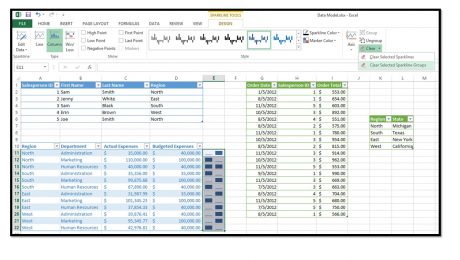
You can insert sparklines into your worksheets to illustrate changes to data values within a column or row of contiguous worksheet cells. A sparkline is basically a mini-chart that appears within a single selected worksheet cell and displays selected cell values as a trendline, columns, or a win-loss series. To create a sparkline within
- Published in Excel 2013, Latest
Using Flash Fill in Microsoft Excel 2013
Thursday, July 18 2013
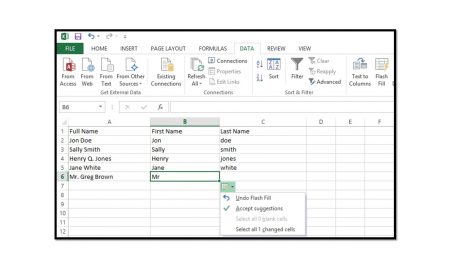
Click here for the complete Excel training Starting in Excel 2013, you can use the “Flash Fill” feature to automatically fill-in values within a column with information entered into an adjacent column. This feature is most useful when dealing with data that has a consistent data entry pattern in
- Published in Excel 2013, Latest
Has Microsoft Forgotten about the Desktop PC?
Monday, July 08 2013
The Windows 8.1 preview has been out for over a week now. One of the bigger changes in this version is the return of the Start button. However, most of the exciting newer features in this version are meant for touchscreen devices. As Microsoft moves forward, it seems as though the traditional Desktop PC is