
Using Touch Mode in Microsoft Office 2013
Thursday, September 05 2013
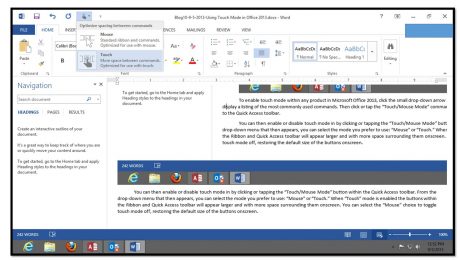
Because of the increased use of tablets, the products within Microsoft Office 2013 have been redesigned with a new mode to allow for easier access to the buttons and other commands within the Ribbon and Quick Access toolbar. This mode is called touch mode. When you enter touch mode within any product interface in the
No Comments
Creating Basic Reports in Project 2013
Wednesday, August 28 2013
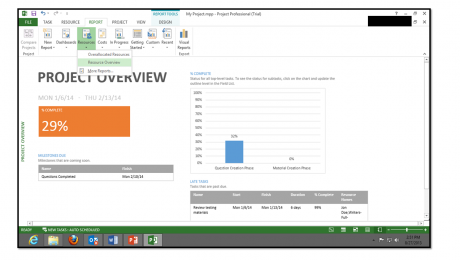
Starting in Project 2013, there are many improvements to the reporting capabilities of Microsoft Project. You can create a report in Project 2013 by clicking the “Report” tab within the Ribbon and then clicking on the type of report that you want to create within the “View
- Published in Latest
How to Create an Index in Microsoft Word 2013
Tuesday, August 27 2013
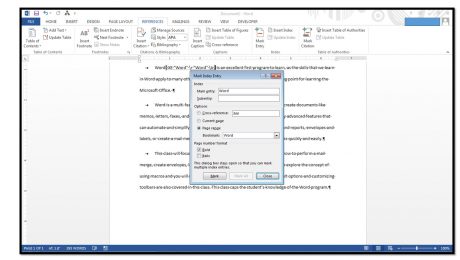
1.Mark the text to include in your index. To include a word or phrase, start by selecting the word or phrase to include from the text in your document. 2.Click the “Mark Entry” button in the “Index” button group on the “References” tab in the Ribbon to open the “Mark Index Entry” dialog box. If
How to Add Shapes In Microsoft Publisher 2013
Monday, August 26 2013
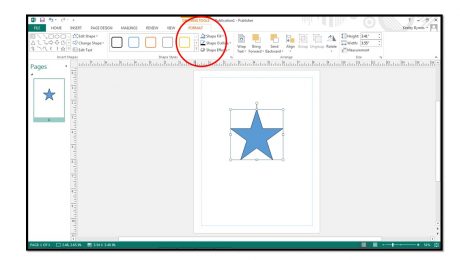
1. To insert shapes into your page click the “Shapes” button in either the “Objects” button group on the “Home” tab or the “Illustrations” button group on the “Insert” tab within the Ribbon. 2. Roll your mouse pointer over the shape you want to insert and then click
- Published in Latest, Publisher 2013
Pasting Links between Cells in Excel 2013
Thursday, August 22 2013
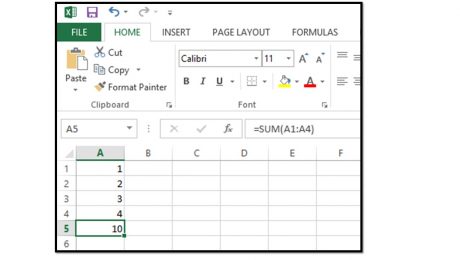
You can paste links between cells within Excel, so that the value of a cell within a workbook will simply be the value of another selected cell. For example, if you had a cell that added the cells above it within one worksheet and you wanted to paste a link to that cell into a
- Published in Excel 2013, Latest
How to Insert Bullets in Excel 2013- Microsoft Office Training
Tuesday, August 20 2013
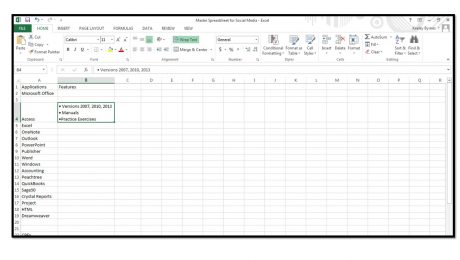
Unlike Microsoft Word, Excel does not contain a button to insert bullets into a cell. However, there are a few ways you can add bullets in Excel. 1. Click into the cell where you want to add a bullet. 2. Press Alt+7 on your numeric keyboard to enter a generic bullet. 3. To quickly
- Published in Excel 2013, Latest
Basic Tasks in Microsoft Publisher 2013
Monday, August 19 2013
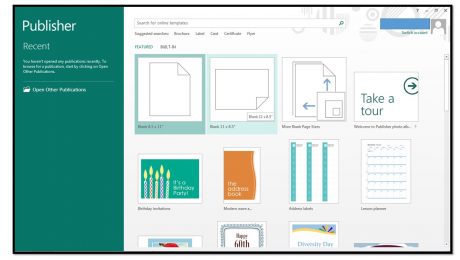
Creating a New Publication When you first open Publisher 2013, you will see a startup screen that allows you to create a new publication. Click the type of publication that you want to create within the listing of available templates that appears at the right side of the startup screen. If you already have opened
- Published in Latest, Publisher 2013
Basic Tasks in Microsoft Word 2013
Thursday, August 15 2013
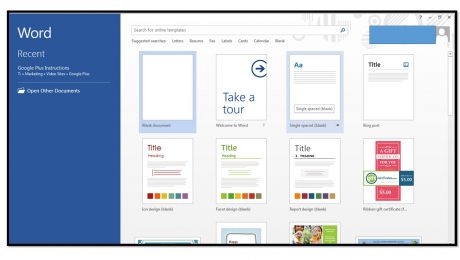
Creating A New Document When you first open Word 2013, you will see a startup screen that allows you to create a new document. Simply click the type of document that you want to create within the listing of available templates that appears at the right side of the startup screen. If you


