
How to Create an Index in Microsoft Word 2013
Tuesday, August 27 2013
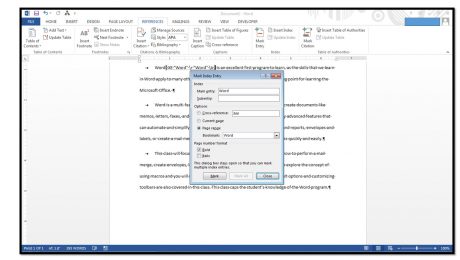
1.Mark the text to include in your index. To include a word or phrase, start by selecting the word or phrase to include from the text in your document. 2.Click the “Mark Entry” button in the “Index” button group on the “References” tab in the Ribbon to open the “Mark Index Entry” dialog box. If
No Comments
How to Add Shapes In Microsoft Publisher 2013
Monday, August 26 2013
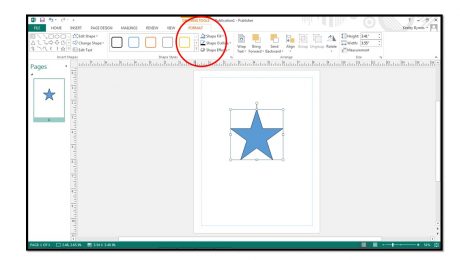
1. To insert shapes into your page click the “Shapes” button in either the “Objects” button group on the “Home” tab or the “Illustrations” button group on the “Insert” tab within the Ribbon. 2. Roll your mouse pointer over the shape you want to insert and then click
- Published in Latest, Publisher 2013
Pasting Links between Cells in Excel 2013
Thursday, August 22 2013
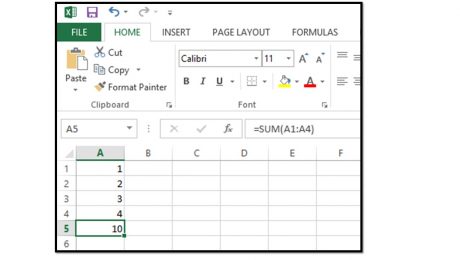
You can paste links between cells within Excel, so that the value of a cell within a workbook will simply be the value of another selected cell. For example, if you had a cell that added the cells above it within one worksheet and you wanted to paste a link to that cell into a
- Published in Excel 2013, Latest
Employment Skills for Job Seekers-Types of Interviews
Wednesday, August 21 2013

In this post, we’ll examine the different types of job interviews. A few of the most common types of interviews are: One-on-one interviews, panel interviews, group interviews, video interviews, phone interviews, and dining interviews. Let’s take a quick look at each type of interview. Most interviews are traditional interviews, conducted one-on-one, in person. In a
How to Insert Bullets in Excel 2013- Microsoft Office Training
Tuesday, August 20 2013
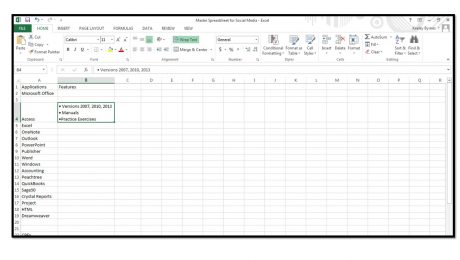
Unlike Microsoft Word, Excel does not contain a button to insert bullets into a cell. However, there are a few ways you can add bullets in Excel. 1. Click into the cell where you want to add a bullet. 2. Press Alt+7 on your numeric keyboard to enter a generic bullet. 3. To quickly
- Published in Excel 2013, Latest
Basic Tasks in Microsoft Publisher 2013
Monday, August 19 2013
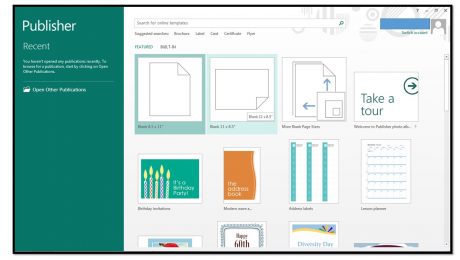
Creating a New Publication When you first open Publisher 2013, you will see a startup screen that allows you to create a new publication. Click the type of publication that you want to create within the listing of available templates that appears at the right side of the startup screen. If you already have opened
- Published in Latest, Publisher 2013
3 Interview Preparation Tips for Job Seekers
Friday, August 16 2013

Job seeking can be a tiring and long process. Resumes, applications, and job searching require time and patience. Most people put a lot of time and effort into getting the interview and fail to properly prepare for the interview. By thoroughly preparing, not only will you perform better during the interview, but you can also
Basic Tasks in Microsoft Word 2013
Thursday, August 15 2013
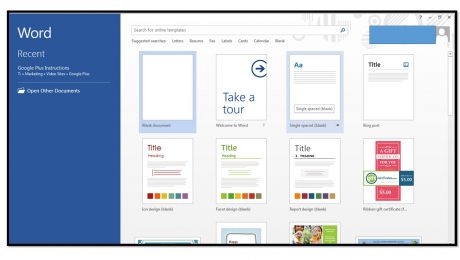
Creating A New Document When you first open Word 2013, you will see a startup screen that allows you to create a new document. Simply click the type of document that you want to create within the listing of available templates that appears at the right side of the startup screen. If you


