How to Create an Index in Microsoft Word 2013
Tuesday, August 27 2013
1.Mark the text to include in your index. To include a word or phrase, start by selecting the word or phrase to include from the text in your document. 2.Click the “Mark Entry” button in the “Index” button group on the “References” tab in the Ribbon to open the “Mark Index Entry” dialog box. If
No Comments
How to Insert Bullets in Excel 2013- Microsoft Office Training
Tuesday, August 20 2013
Unlike Microsoft Word, Excel does not contain a button to insert bullets into a cell. However, there are a few ways you can add bullets in Excel. 1. Click into the cell where you want to add a bullet. 2. Press Alt+7 on your numeric keyboard to enter a generic bullet. 3. To quickly
- Published in Excel 2013, Latest
Basic Tasks in Microsoft Publisher 2013
Monday, August 19 2013
Creating a New Publication When you first open Publisher 2013, you will see a startup screen that allows you to create a new publication. Click the type of publication that you want to create within the listing of available templates that appears at the right side of the startup screen. If you already have opened
- Published in Latest, Publisher 2013
Basic Tasks in Microsoft Word 2013
Thursday, August 15 2013
Creating A New Document When you first open Word 2013, you will see a startup screen that allows you to create a new document. Simply click the type of document that you want to create within the listing of available templates that appears at the right side of the startup screen. If you
Basic Tasks in Microsoft OneNote 2013
Friday, August 09 2013
Opening a New Notebook By default, OneNote will open the notebooks you were working on when you last closed the program. If the notebook is not open and displayed in the Notebook drop-down, click the “File” tab in the Ribbon and click on “Open” in Backstage View. If the notebook is stored in the cloud, click
- Published in Latest, OneNote 2013
How to Use the AutoSum Feature in Microsoft Excel 2013
Thursday, August 08 2013
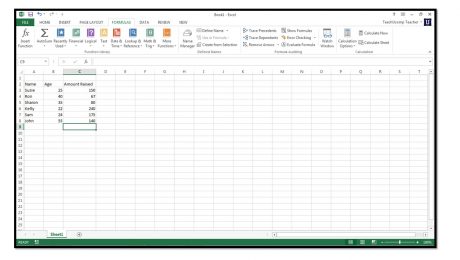
Much of the time, people use Excel to sum columns and rows of data. In fact it occurs so frequently that Excel has included a feature called AutoSum that automatically performs a selected function, like SUM, on a selected column or row of uninterrupted (no blank) cells. This saves you time in creating basic formulas.
- Published in Excel 2013, Latest
Inserting and Deleting Sparklines in Microsoft Excel 2013
Thursday, August 01 2013
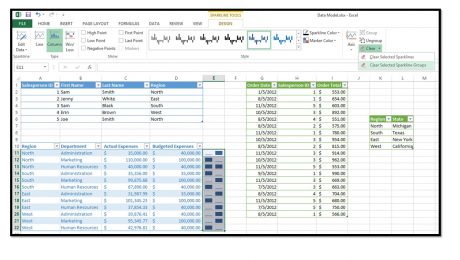
You can insert sparklines into your worksheets to illustrate changes to data values within a column or row of contiguous worksheet cells. A sparkline is basically a mini-chart that appears within a single selected worksheet cell and displays selected cell values as a trendline, columns, or a win-loss series. To create a sparkline within
- Published in Excel 2013, Latest
Using Flash Fill in Microsoft Excel 2013
Thursday, July 18 2013
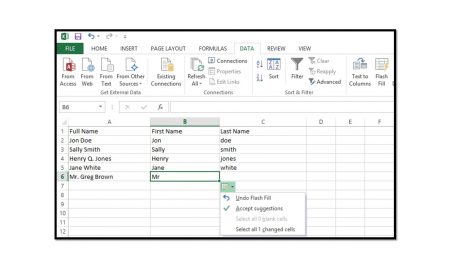
Click here for the complete Excel training Starting in Excel 2013, you can use the “Flash Fill” feature to automatically fill-in values within a column with information entered into an adjacent column. This feature is most useful when dealing with data that has a consistent data entry pattern in
- Published in Excel 2013, Latest