Arrange All Open Windows in Word- Instructions
Tuesday, September 22 2020
Arrange All Open Windows in Word: Video Lesson This video lesson, titled “Arranging Open Document Windows,” shows how to arrange all open window in Word. This video lesson is from our complete Word tutorial, titled “Mastering Word Made Easy v.2019 and 365.” Arrange All Open Windows in Word: Overview You can arrange all
- Published in Latest, Microsoft, Office 2013, Office 2016, Office 365, Word 2013, Word 2016
No Comments
Reveal Formatting in Word – Instructions and Video Lesson
Monday, September 21 2020
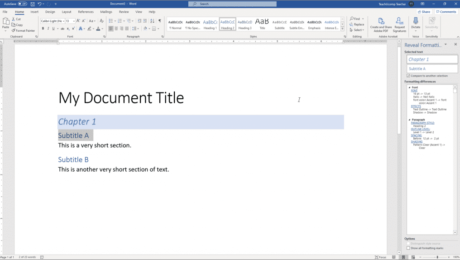
Reveal Formatting in Word: Video Lesson This video lesson, titled “Using the Reveal Formatting Pane,” shows how to reveal formatting in Word documents. This lesson is from our complete Word tutorial, titled “Mastering Word Made Easy v.2019 and 365.” Reveal Formatting in Word: Overview When working with styles in Word, you may need
- Published in Latest, Microsoft, Office 2013, Office 2016, Office 2019, Office 365, Word 2013, Word 2016, Word 2019, Word for Office 365
Using Tab Stops in Word- Instructions
Friday, September 18 2020
Using Tab Stops in Word: Video Lesson This video lesson, titled “Using Tab Stops,” shows different ways of using tabs stops in Word. This video is from our complete Word tutorial, titled “Mastering Word Made Easy v.2019 and 365.” Using Tab Stops in Word: Overview This tutorial is about creating and using tab
- Published in Latest, Microsoft, Office 2013, Office 2016, Office 2019, Office 365, Word 2013, Word 2016, Word 2019, Word for Office 365
View Side by Side in Word – Instructions and Video Lesson
Wednesday, September 16 2020
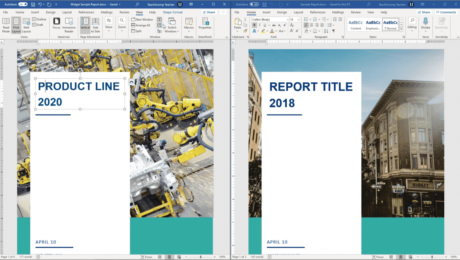
View Side by Side in Word: Video Lesson This video lesson, titled “Comparing Open Documents,” shows how to use View Side by Side in Word. This video lesson is from our complete Word tutorial, titled “Mastering Word Made Easy v.2019 and 365.” View Side by Side in Word: Overview How to Compare Two Documents
- Published in Latest, Microsoft, Office 2013, Office 2016, Office 2019, Office 365, Word 2013, Word 2016, Word 2019, Word for Office 365
Add Captions in Word – Instructions
Wednesday, September 09 2020
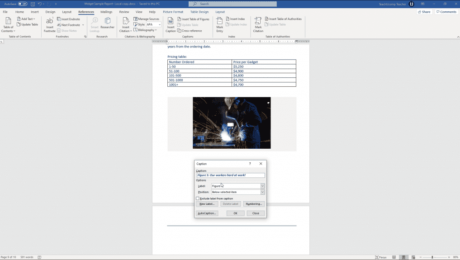
Add Captions in Word: Video Lesson This video lesson, titled “Inserting Captions,” shows how to add captions in Word. This video lesson is from our complete Word tutorial, titled “Mastering Word Made Easy v.2019 and 365.” Add Captions in Word: Overview You can easily add captions in Word to document elements to label
- Published in Latest, Office 2013, Office 2016, Office 2019, Office 365, Word 2013, Word 2016, Word 2019, Word for Office 365
Set Margins in Word – Instructions
Friday, September 04 2020
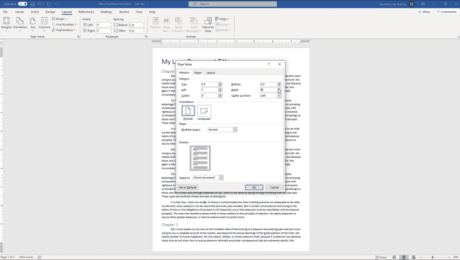
Set Margins in Word: Video Lesson This video lesson, titled “Setting Margins,” shows how to set margins in Word. This lesson is from our complete Word tutorial, titled “Mastering Word Made Easy v.2019 and 365.” Set Margins in Word: Overview How to Apply Preset Margins in Word You can set margins in Word
- Published in Latest, Microsoft, Office 2013, Office 2016, Office 2019, Office 365, Word 2013, Word 2016, Word 2019, Word for Office 365
Sort a Table in Word – Instructions and Video Lesson
Thursday, September 03 2020
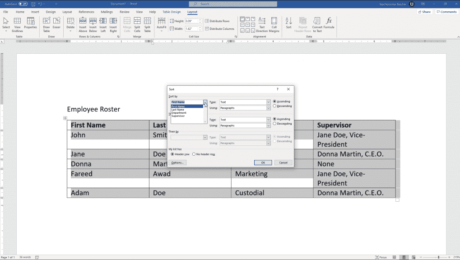
Sort a Table in Word: Video Lesson This video lesson, titled “Sorting Tables,” shows how to sort a table in Word. This video lesson on how to sort tables in Word is from our complete Word tutorial, titled “Mastering Word Made Easy v.2019 and 365.” Sort a Table in Word: Overview You can
- Published in Latest, Microsoft, Office 2010, Office 2013, Office 2016, Office 2019, Office 365, Word 2010, Word 2013, Word 2016, Word 2019, Word for Office 365