
TeachUcomp, Inc.

 MY CART
  • HOME
  • PRODUCTS
    • Books
      • QuickBooks Online
    • Manuals
      • Adobe
        • Acrobat
        • Lightroom Classic
        • Photoshop
        • Photoshop Elements
      • Crystal Reports
      • For Lawyers
        • Excel for Lawyers
        • Outlook for Lawyers
        • QuickBooks for Lawyers
        • Word for Lawyers
      • HTML
      • JavaScript
      • Microsoft Office
        • Access
        • Excel
        • OneNote
        • Outlook
        • Outlook on the Web
        • PowerPoint
        • Publisher
        • Word
      • Microsoft Project
      • Microsoft Teams
      • QuickBooks Online
      • QuickBooks Pro
      • Sage
        • Peachtree
        • Sage 50
      • SQL
      • Windows
    • Reference Guides
      • Adobe
        • Acrobat
        • Lightroom Classic
        • Photoshop
        • Photoshop Elements 2027
        • Photoshop Elements 2026
        • Photoshop Elements 2025
        • Photoshop Elements 2024
        • Photoshop Elements 2023
        • Photoshop Elements 2022
        • Photoshop Elements 2021
        • Photoshop Elements 2020
        • Photoshop Elements 2019
        • Photoshop Elements 2018
        • Photoshop Elements 15
      • Chrome OS
        • Chrome OS Keyboard Shortcuts
      • FreshBooks
      • Google
        • Google Classroom for Teachers
        • Google Docs
        • Google Drive
        • Google Forms
        • Google Sheets
        • Google Slides
      • macOS
        • macOS Keyboard Shortcuts
        • macOS Tahoe
      • Microsoft Office
        • Excel Formulas and Functions
        • Excel Keyboard Shortcuts (macOS)
        • Excel Keyboard Shortcuts (PC/Windows)
        • Excel Tables PivotTables and Charts
        • Microsoft 365
          • Access for Microsoft 365
          • Excel for Microsoft 365
          • Microsoft Office 365
          • Outlook for Microsoft 365 Classic Edition
          • Outlook for Microsoft 365 (New Outlook)
          • PowerPoint for Microsoft 365
          • Publisher for Microsoft 365
          • Word for Microsoft 365
        • Microsoft Office 2021
          • Access 2021
          • Excel 2021
          • Microsoft Office 2021
          • OneNote for Windows 10
          • Outlook 2021
          • PowerPoint 2021
          • Publisher 2021
          • Word 2021
        • Microsoft Office 2019
          • Access 2019
          • Excel 2019
          • Microsoft Office 2019
          • Outlook 2019
          • PowerPoint 2019
          • Publisher 2019
          • Word 2019
        • Microsoft Office 2016
          • Access 2016
          • Excel 2016
          • Microsoft Office 2016
          • OneNote 2016
          • Outlook 2016
          • PowerPoint 2016
          • Publisher 2016
          • Word 2016
        • Microsoft Office 2013
          • Excel 2013
          • Microsoft Office 2013
          • OneNote 2013
          • Outlook 2013
          • PowerPoint 2013
          • Word 2013
        • Microsoft Office for iPad
          • Microsoft Office for iPad
        • Word Keyboard Shortcuts (macOS)
        • Word Keyboard Shortcuts (PC/Windows)
      • Microsoft Teams
      • QuickBooks Online
      • QuickBooks Pro
        • QuickBooks Pro 2024
        • QuickBooks Pro 2023
        • QuickBooks Pro 2022
        • QuickBooks Pro 2021
        • QuickBooks Pro 2020
        • QuickBooks Pro 2019
        • QuickBooks Pro 2018
        • QuickBooks Pro 2017
        • QuickBooks Pro 2016
        • QuickBooks Pro 2015
        • QuickBooks Pro 2014
      • Sage 50 Accounting
      • SQL
      • Windows
        • Windows 11
        • Windows 11 and 10 Keyboard Shortcuts
        • Windows 10
    • Video Courses
      • All-Access Subscriptions
      • Course List
        • Accounting
        • Adobe
          • Acrobat
          • Lightroom Classic
          • Photoshop
          • Photoshop Elements
        • Crystal Reports
        • Employment Skills
          • Interview Skills
          • Resume Skills
        • For Lawyers
          • Excel for Lawyers
          • Outlook for Lawyers
          • QuickBooks for Lawyers
          • Word for Lawyers
        • HTML
        • JavaScript
        • Microsoft Office
          • Access
          • Excel
          • Microsoft Office Suite
          • OneNote
          • Outlook
          • Outlook on the Web
          • PowerPoint
          • Publisher
          • Word
        • Microsoft Project
        • Microsoft Teams
        • QuickBooks Online
        • QuickBooks Pro
        • Sage
          • Peachtree
          • Sage 50
        • SQL
        • Windows
      • My Courses
      • Video Course Options
    • Shortcut Stickers
      • Chrome OS
      • macOS
      • Microsoft Office
        • Word and Excel (Mac)
        • Word and Excel (PC/Windows)
      • QuickBooks Desktop
        • QuickBooks Desktop (PC/Windows) 2024
        • QuickBooks Desktop (PC/Windows) 2023
        • QuickBooks Desktop (PC/Windows) 2022-2015
      • QuickBooks Online
      • Windows
  • SHOP BY TOPIC
  • FOR TEAMS
  • SUPPORT
    • Company
      • About Us
      • Blog
      • Our History
      • Our Philosophy
        • Customer Service
        • Mission
      • Policies
      • Testimonials
    • Contact Us
    • FAQ
    • Help
    • Lost Password
    • Register a Product
  • LOGIN
    • Manage My Account
    • Member Login
    • My Courses
Shop Now

Using Tab Stops in Word- Instructions

Friday, September 18 2020 by Joseph Brownell
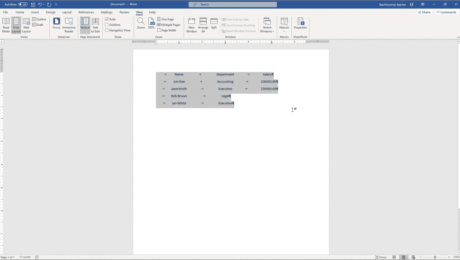
Using Tab Stops in Word- Instructions: A picture of a document showing the different types of tabs stops for selected paragraphs in Word within the horizontal ruler.
Using Tab Stops in Word: Video Lesson             This video lesson, titled “Using Tab Stops,” shows different ways of using tabs stops in Word. This video is from our complete Word tutorial, titled “Mastering Word Made Easy v.2019 and 365.” Using Tab Stops in Word: Overview             This tutorial is about creating and using tab
20132016addcoursecreatedeletedocumentshelphow-toinsertinsertinginstructionslearnlessonmicrosoft wordoverviewremoveremovingrepositionrulertab stop typestab stopsTab Stops in Wordtabsteachtrainingtutorialtypes of tab stopsuseusing tab stopsUsing Tab Stops in WordvideowordWord 2013Word 2016Word 2019Word documentsWord for Microsoft 365word for Office 365
Read more
  • Published in Latest, Microsoft, Office 2013, Office 2016, Office 2019, Office 365, Word 2013, Word 2016, Word 2019, Word for Office 365
No Comments

How to Use Page Borders in Word – Instructions

Thursday, August 27 2020 by Joseph Brownell
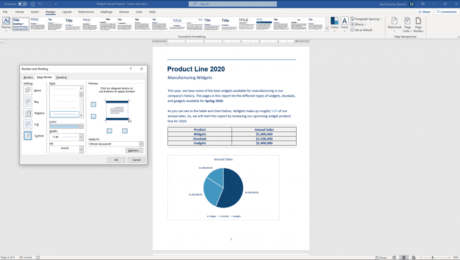
How to Use Page Borders in Word - Instructions: A picture of a user customizing the page border settings in Word within the “Page Border” tab of the “Borders and Shading” dialog box.
How to Use Page Borders in Word: Video Lesson             This video lesson, titled “Applying Page Borders,” shows how to use page borders in Word. This video lesson is from our complete Word tutorial, titled “Mastering Word Made Easy v.2019 and 365.” How to Use Page Borders in Word: Overview How to Use Page Borders
applyapplyingchangechangingcoursedocumentdocumentsediteditinghelphow-toinstructionslearnlessonmicrosoft wordoptionsoverviewpage borderpage borderssettingsteachtrainingtutorialuseUse Page Borders in WordusingvideoWord 2013Word 2016Word 2019Word for Microsoft 365word for Office 365
Read more
  • Published in Latest, Microsoft, Office 2013, Office 2016, Office 2019, Office 365, Word 2013, Word 2016, Word 2019, Word for Office 365
No Comments

The Document Inspector in Word – Instructions

Wednesday, August 19 2020 by Joseph Brownell
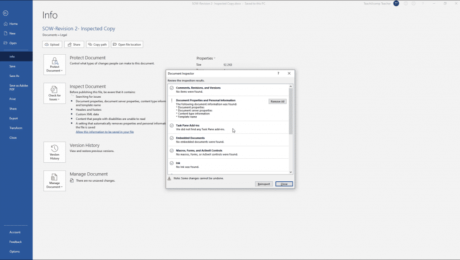
The Document Inspector in Word - Instructions: A picture of the results shown in the Document Inspector in Word.
The Document Inspector in Word: Video Lesson             This video lesson, titled “Using the Document Inspector,” shows you how to use the Document Inspector in Word. This video lesson is from our complete Word tutorial for lawyers, titled “Mastering Word Made Easy for Lawyers v.2019 and 365.” The Document Inspector in Word: Overview             The
coursedeletedocumentdocument infodocument inspectorhelphiddenhidden datahow-toinstructionslawlawyerlawyerslearnlegallessonmetadatamicrosoft wordoverviewremoveself studyteachThe Document Inspector in WordtrainingtutorialusevideowordWord 2013Word 2016Word 2019Word for Microsoft 365word for Office 365word training for attorneysword training for lawyers
Read more
  • Published in Latest, Microsoft, Microsoft Word Training for Lawyers, Office 2013, Office 2016, Office 2019, Office 365, Word 2013, Word 2016, Word 2019, Word for Office 365
No Comments

Using Undo and Redo in Word- Instructions

Monday, August 10 2020 by Joseph Brownell
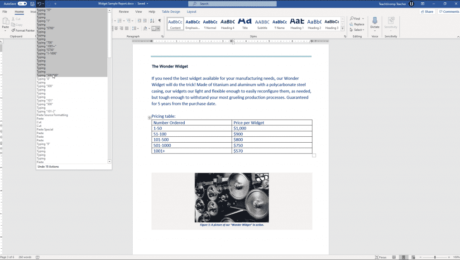
Using Undo and Redo in Word- Instructions: A picture of a user undoing previous actions in Word.
Using Undo and Redo in Word: Video Lesson             This video lesson, titled “Undoing and Redoing Actions,” shows how to use Undo and Redo in Word. This video is from our complete Word tutorial, titled “Mastering Word Made Easy v.2019 and 365.” Using Undo and Redo in Word: Overview             Using Undo and Redo in
2013buttonscommandscoursehelphow-toinstructionskeyboard shortcutkeyboard shortcutslearnlessonmicrosoft wordoverviewRedoRedoing ActionsteachtoolstrainingtutorialUndoUndoing ActionsuseUsing Undo and Redo in WordvideoWord 2013Word 2016Word 2019Word documentWord documentsWord for Microsoft 365word for Office 365
Read more
  • Published in Latest, Microsoft, Office 2013, Office 2016, Office 2019, Office 365, Word 2013, Word 2016, Word 2019, Word for Office 365
No Comments

Buy Photoshop 2020 Quick Reference Cards

Tuesday, January 28 2020 by Joseph Brownell
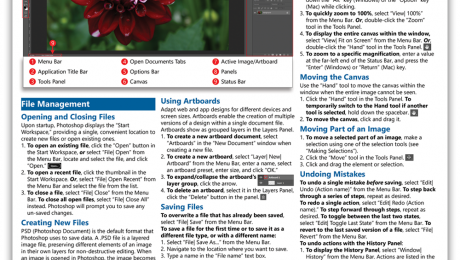
Buy Photoshop 2020 Quick Reference Cards at TeachUcomp, Inc.             You can buy Photoshop 2020 quick reference cards with our “Photoshop 2020 Introduction Quick Reference Guide” cheat sheet. Our Photoshop 2020 quick reference card helps both creative professionals and novice users. These cheats sheets are terrific for people who just need tips about performing tasks
actionsbuyBuy Photoshop 2020 Quick Reference Cardscheat sheetcheat sheetshelpinfoinformationlearnnew productnewsphotoshopPhotoshop 2020photoshop cheat sheetproduct releasepurchasequick referencequick reference cardquick reference cardsreferencereference cardreference cardstipstips and tricksuse
Read more
  • Published in Latest, Marketing, News, Photoshop, What's New at TeachUcomp?
No Comments

Outline Excel Data in Microsoft Excel – Instructions

Wednesday, January 22 2020 by Joseph Brownell
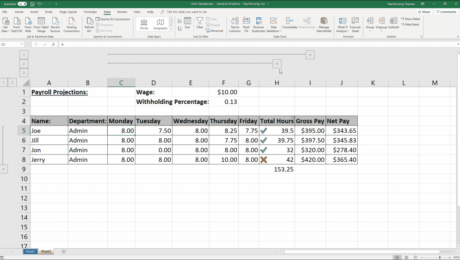
Outline Excel Data in Microsoft Excel - Instructions: A picture of an Excel worksheet with an outline applied.
Outline Excel Data in Microsoft Excel: Video Lesson             The video lesson above, titled “Applying and Removing Outlines,” shows how to outline Excel data. The following video, titled “Using Outlines,” shows you how to use outlines in Excel. These video lessons are from our complete Excel tutorial, titled “Mastering Excel Made Easy v.2019 and 365.”
addapplyapplyingauto outlinecolumnscolumns and rowscoursedataexcel 2013Excel 2016Excel 2019Excel for Office 365helphow to outline data in Excelhow-toinstructionslearnlessonmicrosoft excelMicrosoft Office 365Office 2019office 365outline Excel dataoutliningoverviewremoverowsself studyteachtrainingtutorialusevideoworksheetworksheets
Read more
  • Published in Excel 2013, Excel 2016, Excel 2019, Excel for Office 365, Latest, Microsoft, Office 2013, Office 2016, Office 2019, Office 365
No Comments

The Ribbon in Publisher – Instructions

Friday, December 06 2019 by Joseph Brownell
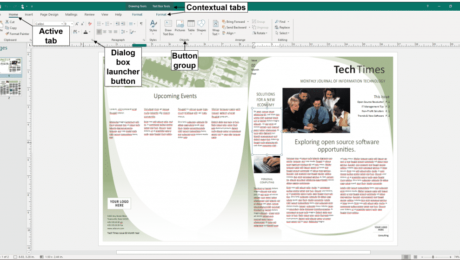
The Ribbon in Publisher - Instructions: A diagram of the Ribbon in Publisher. It shows an active tab, its button groups, a dialog box launcher button, and also the contextual tabs that may appear.
The Ribbon in Publisher: Video Lesson             This video lesson, titled “The Ribbon,” shows you how to use the Ribbon in Publisher. This video lesson is from our complete Publisher tutorial, titled “Mastering Publisher Made Easy v.2019 and 365.” The Ribbon in Publisher: Overview             The Ribbon in Publisher is the main tool you use
active tabbutton groupsbuttonscommandscontextual tabcontextual tabsdialog box launcherhelphidehow-toinstructionslearnlessonMicrosoft Office 2019Microsoft Office 365Microsoft PublisherMicrosoft Publisher 2013Microsoft Publisher 2016Microsoft Publisher 2019Office 2019office 365overviewpublisherpublisher 2013Publisher 2016Publisher 2019Ribbonshowtabs in the ribbonteachThe Ribbon in Publishertrainingtutorialuseusingvideo
Read more
  • Published in Latest, Microsoft, Office 2013, Office 2016, Office 2019, Office 365, Publisher 2013, Publisher 2016, Publisher 2019
No Comments

The Status Bar in Publisher – Instructions

Tuesday, November 19 2019 by Joseph Brownell
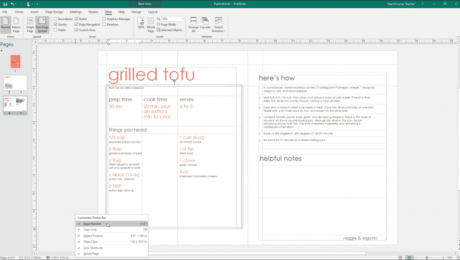
The Status Bar in Publisher - Instructions: A picture of a user customizing the display of the Status Bar in Publisher.
The Status Bar in Publisher: Video Lesson             This video lesson, titled “The Status Bar,” shows you how to use the Status Bar in Publisher. This video lesson is from our complete Publisher tutorial, titled “Mastering Publisher Made Easy v.2019 and 365.” The Status Bar in Publisher: Overview             The Status Bar in Publisher appears
customizecustomizinghelphidehow-toinstructionslearnlessonMicrosoft Office 2019Microsoft Office 365Microsoft PublisherMicrosoft Publisher 2013Microsoft Publisher 2016Microsoft Publisher 2019Office 2019office 365overviewpublisherpublisher 2013Publisher 2016Publisher 2019showstatus barteachThe Status Bar in Publishertrainingtutorialuseusingvideo
Read more
  • Published in Latest, Microsoft, Office 2013, Office 2016, Office 2019, Office 365, Publisher 2013, Publisher 2016, Publisher 2019
No Comments
  • 7
  • 8
  • 9
  • 10
  • 11
Team Training. Solutions for all team sizes.


Categories

  • GET SOCIAL

© 2001-2026 Copyright TeachUcomp, Inc. All rights reserved.

TOP
25% Off Everything 7 Days 9 Hours 8 Minutes 39 Seconds      Coupon Code: SAVE25
Shop Now